Quick answer: what does the Jenni AI Review feature do?
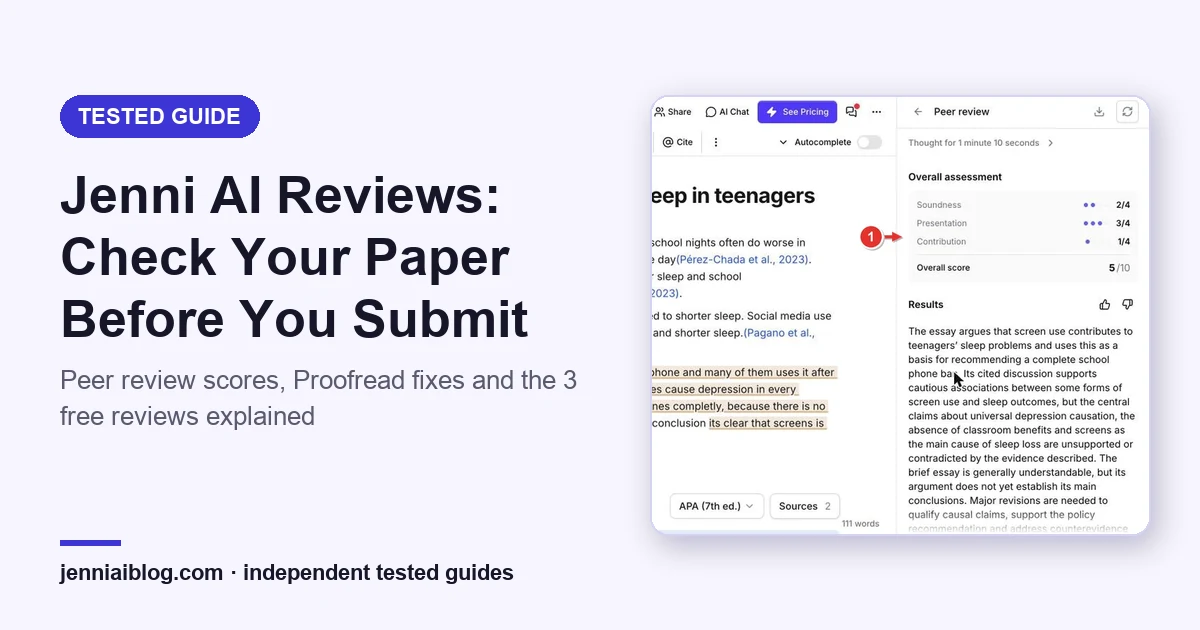
Click Review at the top of any document to check it before you submit. There are 5 reviews: Claim confidence, Peer review, Source Quality, Tone of Voice and Proofread. In our test, Peer review scored our essay 5/10 and flagged every unsupported claim. Proofread fixed all 7 grammar and spelling errors we planted. The free plan includes 3 reviews in total.
Check your own paper with 3 free reviews. No card needed.
Is Jenni AI right for you?
✓ Great for
- Essays and research papers that need real citations
- Literature reviews and thesis chapters
- Writing from your own PDFs and sources
- Staying in control, one sentence at a time
✗ Not the right tool for
- Getting a finished essay in one click
- Grammar-only checking (a grammar tool is cheaper)
- Anyone who won’t check the sources it adds
We tested Reviews in a free Jenni account on November 27, 2026. We added a paragraph with deliberate mistakes to a short essay on phone use and sleep in teenagers, then ran Peer review and Proofread.
Looking for our verdict on Jenni as a whole? Read our full Jenni AI review. This guide covers only the Review button inside the editor.
In this guide
- Open the Review panel
- The 5 review types
- Our test essay
- Peer review: scores and comments
- Proofread: grammar and style fixes
- Claim confidence
- Source Quality
- Tone of Voice
- Which review to run first
- How many reviews are free?
- FAQ
Open the Review panel
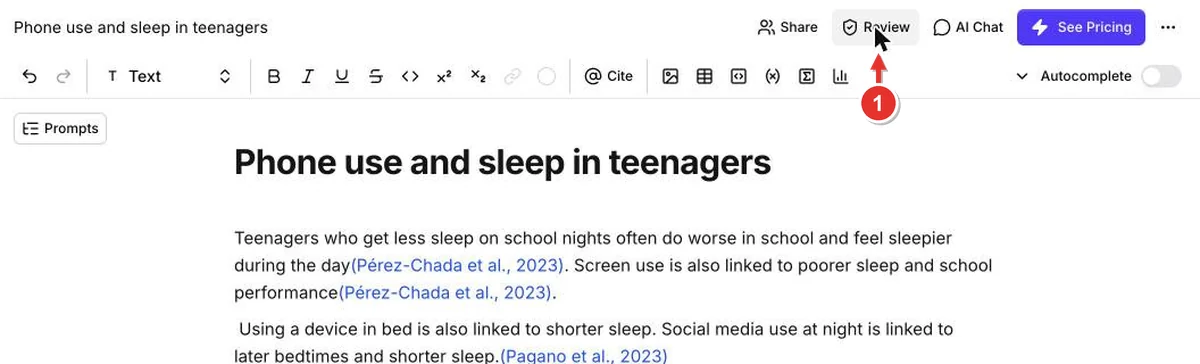
Open your document and click Review in the top bar, next to Share and AI Chat.
A panel opens on the right with one card per review. Each card has a Run review button, and some have a settings icon next to it.
The 5 review types
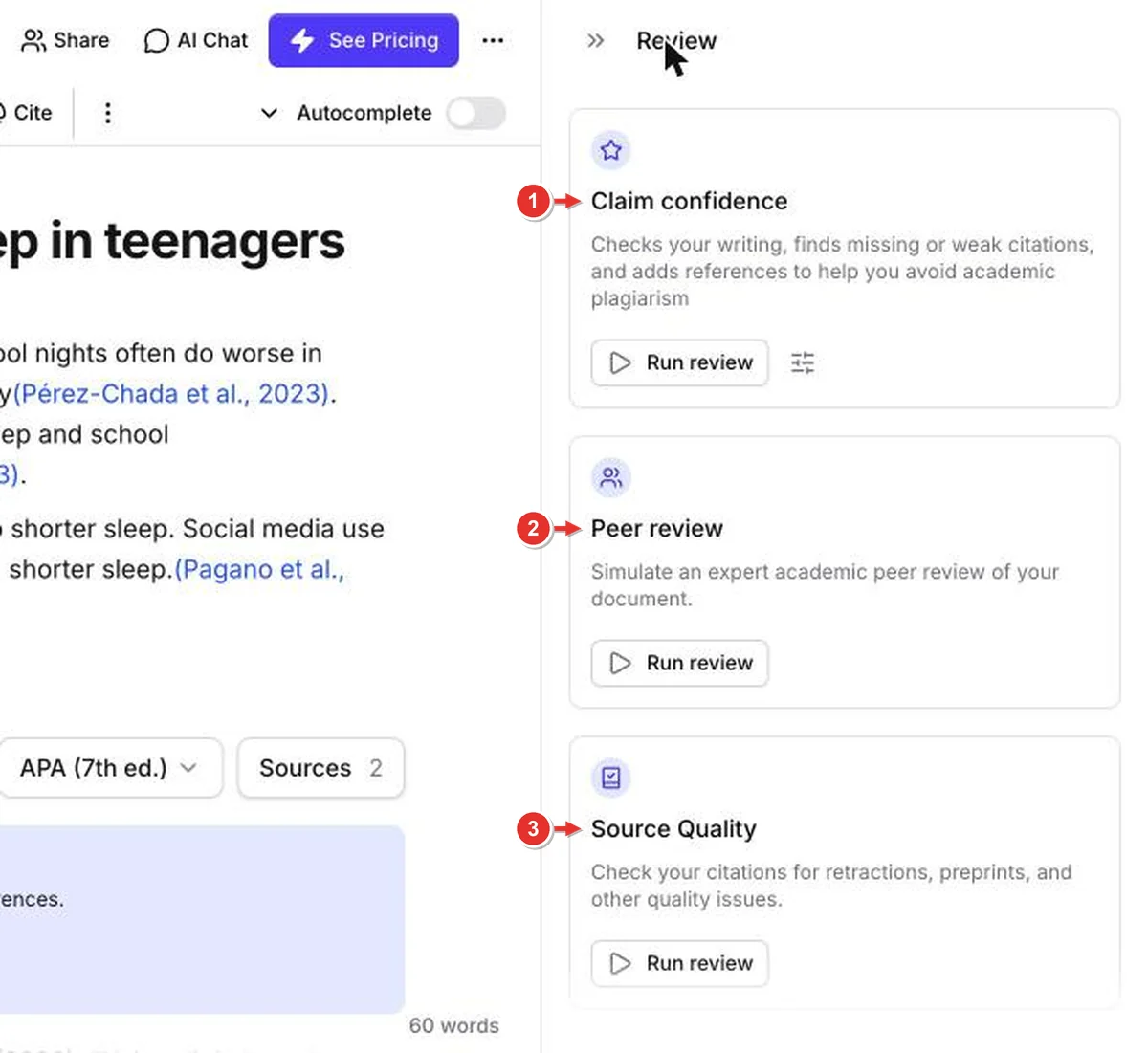
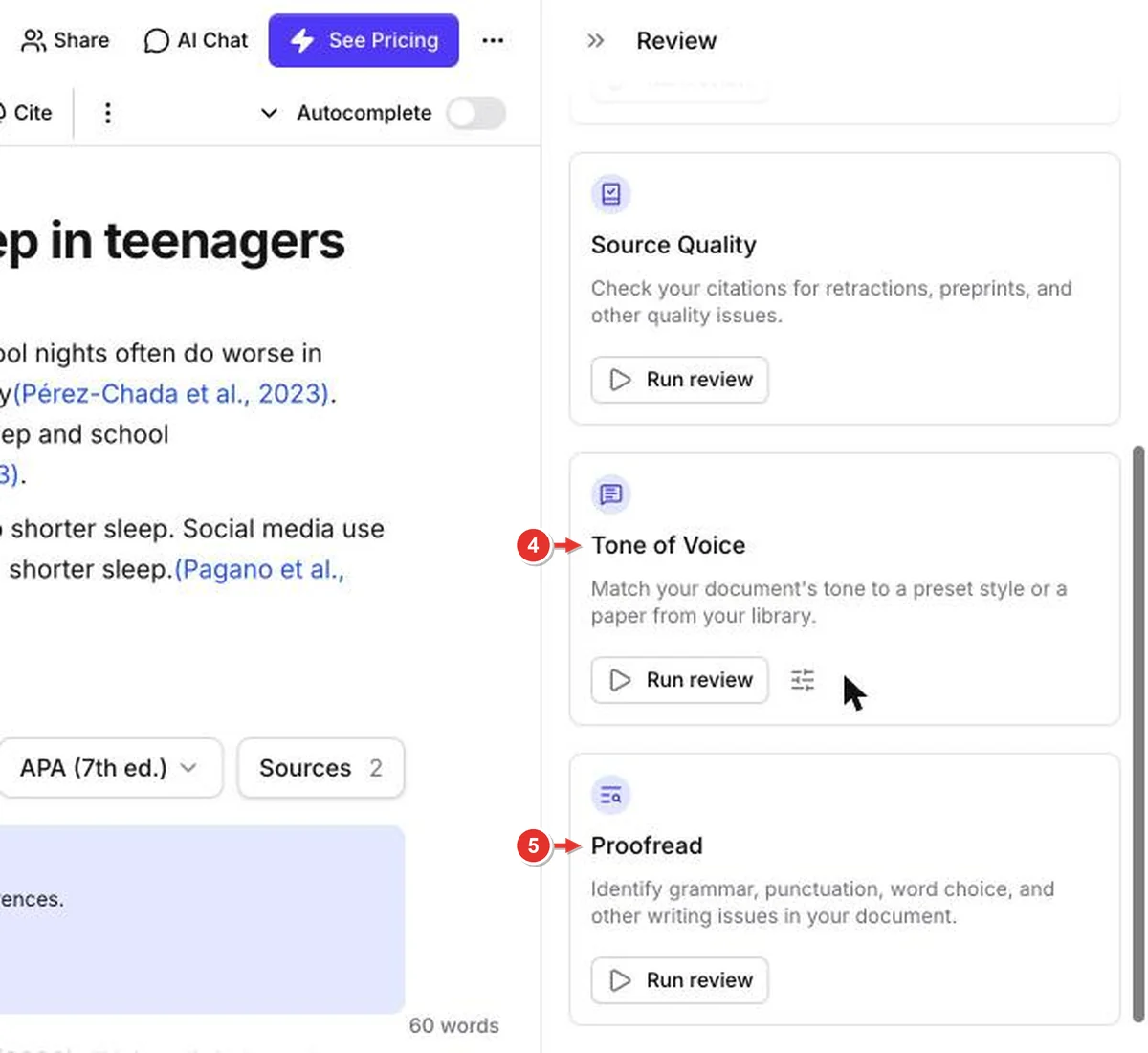
| Review | What it checks | Tested? |
|---|---|---|
| Peer review | Scores your argument like a journal reviewer and comments on weak points | Yes |
| Proofread | Grammar, punctuation, word choice, formality, passive voice, repetition, formatting | Yes |
| Claim confidence | Finds missing or weak citations and suggests references | Settings only |
| Source Quality | Checks your citations for retractions, preprints and other issues | Settings only |
| Tone of Voice | Matches your tone to a preset style or a paper in your Library | Settings only |
What you get free
Jenni AI’s free plan, checked on jenni.ai/pricing in November 2026:
- 10 autocompletes a day (resets daily)
- 5 AI requests, shared by AI Chat, AI Edit and Ask Jenni
- 10 PDF uploads to write from your own sources
- 3 reviews and 3 workflow runs
- Unlimited in-text citations (the reference list is a paid feature)
No card needed · free forever. If you outgrow it, Plus is $12/mo billed yearly.
Our test essay
Our essay had two cited paragraphs. We added a third with planted problems:
Most teenager now owns a smartphone and many of them uses it after midnight. Studies prove that phones cause depression in every teenager. Schools should ban phones completly, because there is no benefits to using them in class. In conclusion its clear that screens is the main reason teens sleep less.
It has grammar and spelling errors, plus claims with no source that go far beyond the evidence. A good review should catch both kinds.
Peer review: scores and comments
Click Run review on Peer review. Jenni thought for 1 minute 10 seconds, then showed an overall assessment.
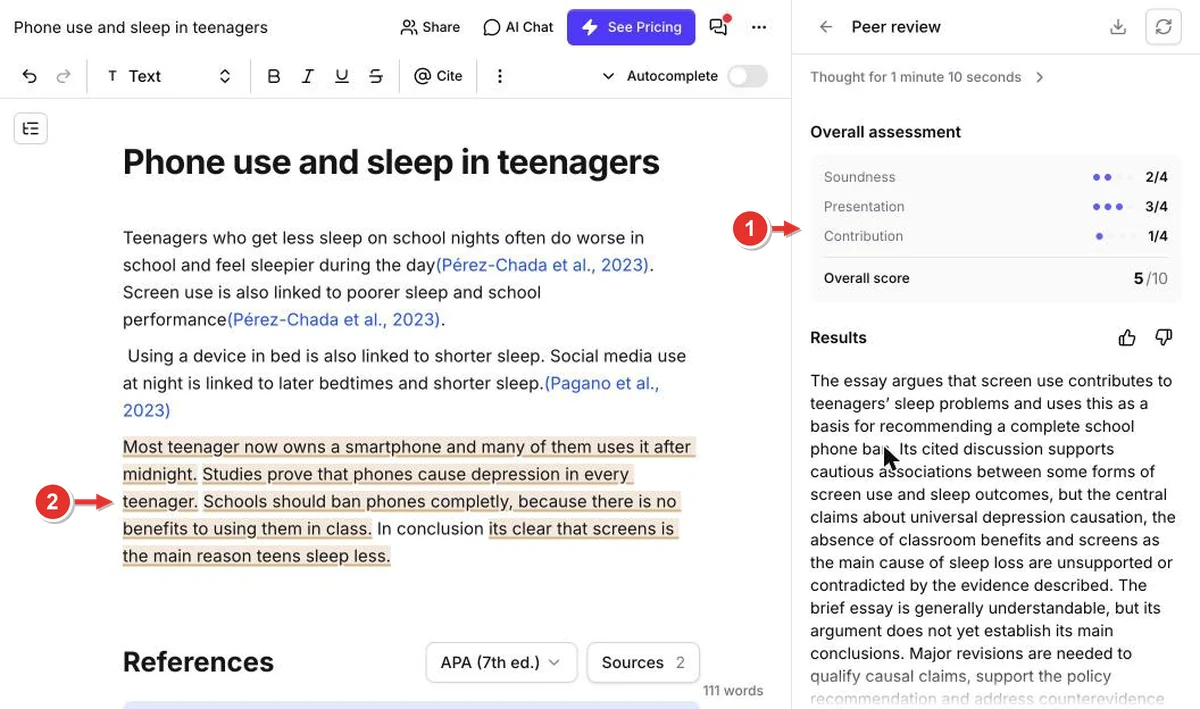
The summary was spot on. It said the cited parts support “cautious associations”, but the claims about depression, phone bans and screens as the main cause are unsupported.
It ended with a clear verdict: major revisions are needed.
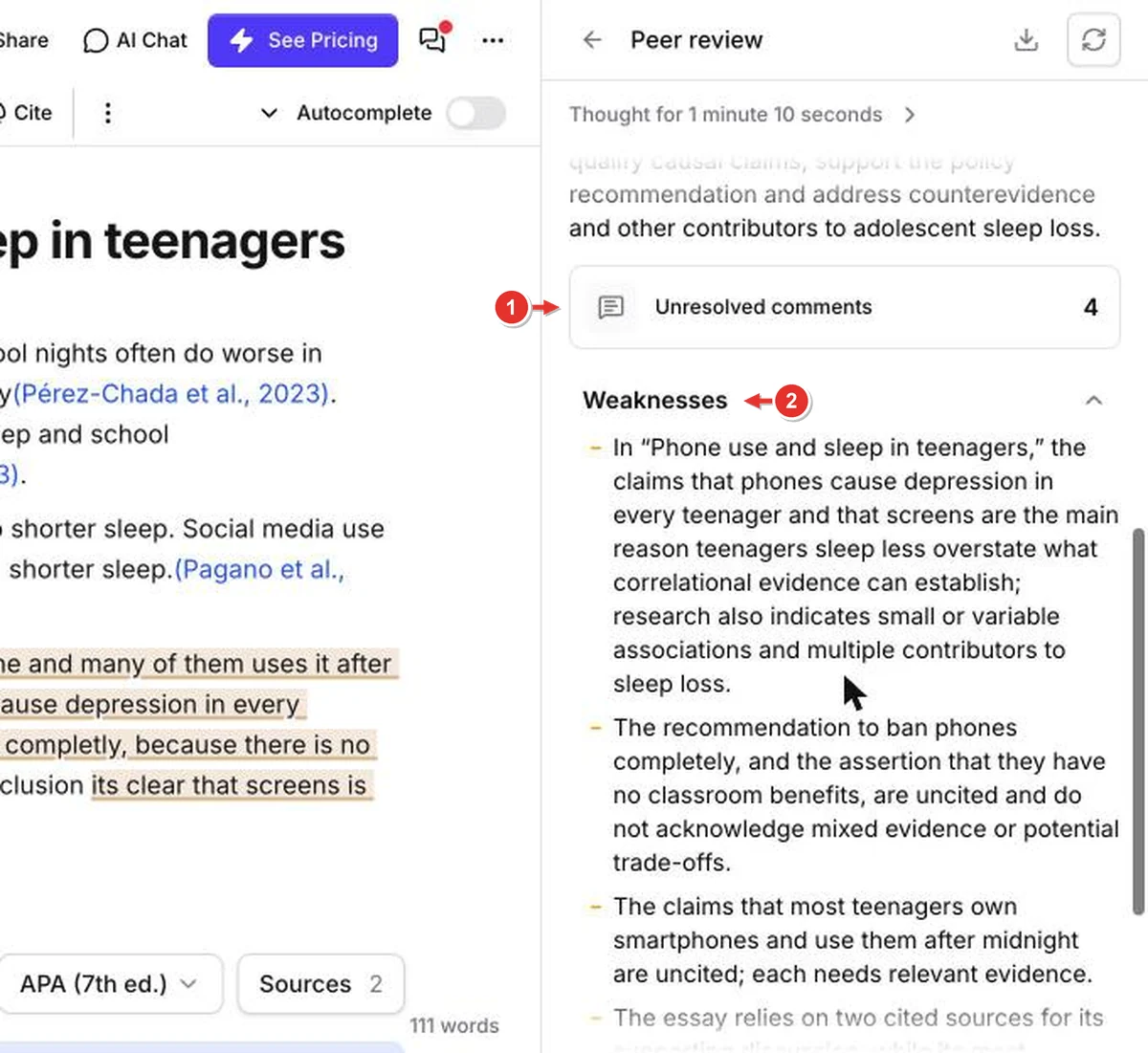
It listed 4 weaknesses and 2 strengths. Every planted claim was flagged, including the uncited one about teens owning smartphones.
Click a highlighted sentence to read its comment. Each one has a severity label, such as Major.
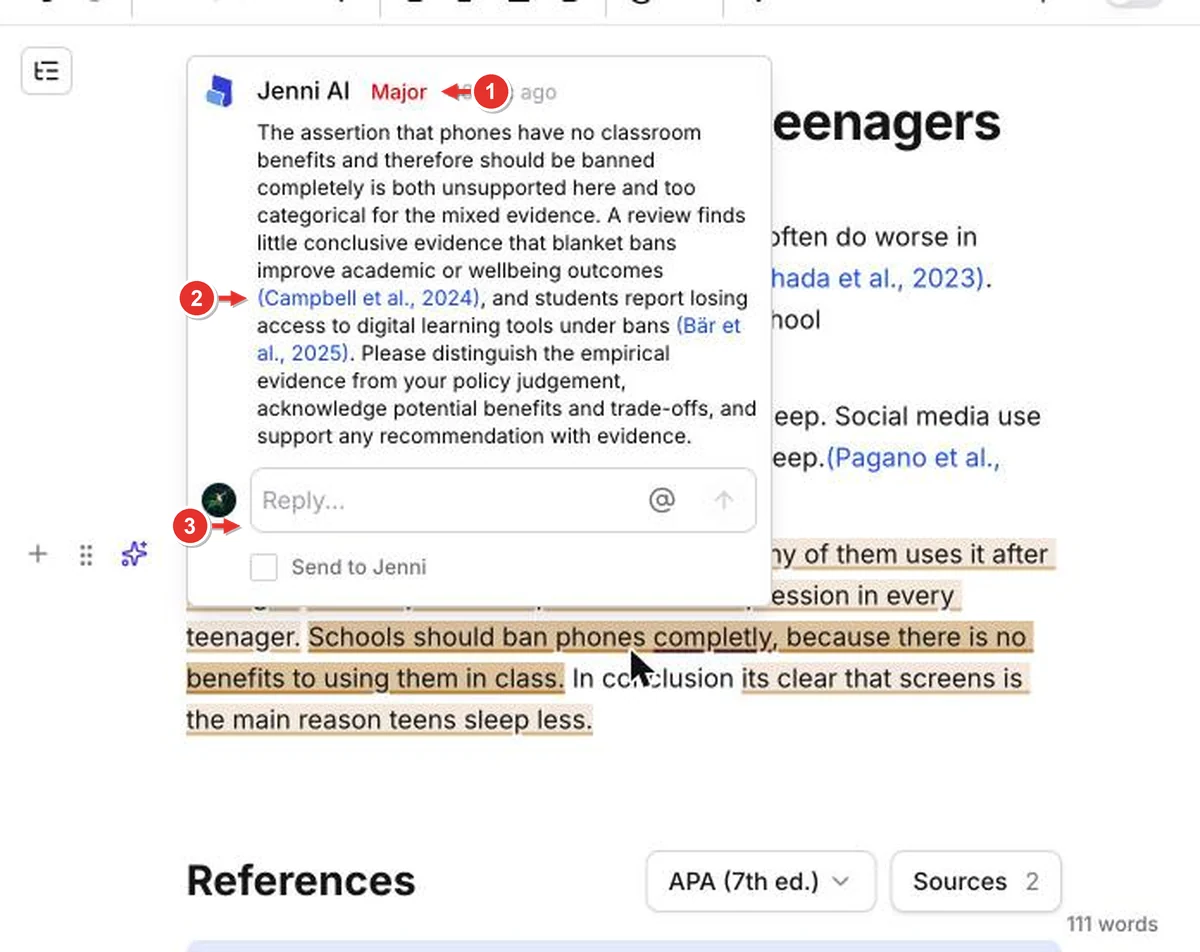
This comment went further than we expected. It cited two studies that challenge a full phone ban, then asked us to separate the evidence from our opinion.
What Peer review didn’t do
- It didn’t fix grammar or spelling. “completly” and “its clear” were left alone.
- It doesn’t edit your text. You make the changes yourself.
- Check the papers it cites in comments before you use them.
Back in the panel, the Peer review card now shows View results and a comment count, so you can reopen the review later.
Proofread: grammar and style fixes
Proofread is for language, not argument. It finished in just 15 seconds and found 12 suggestions.
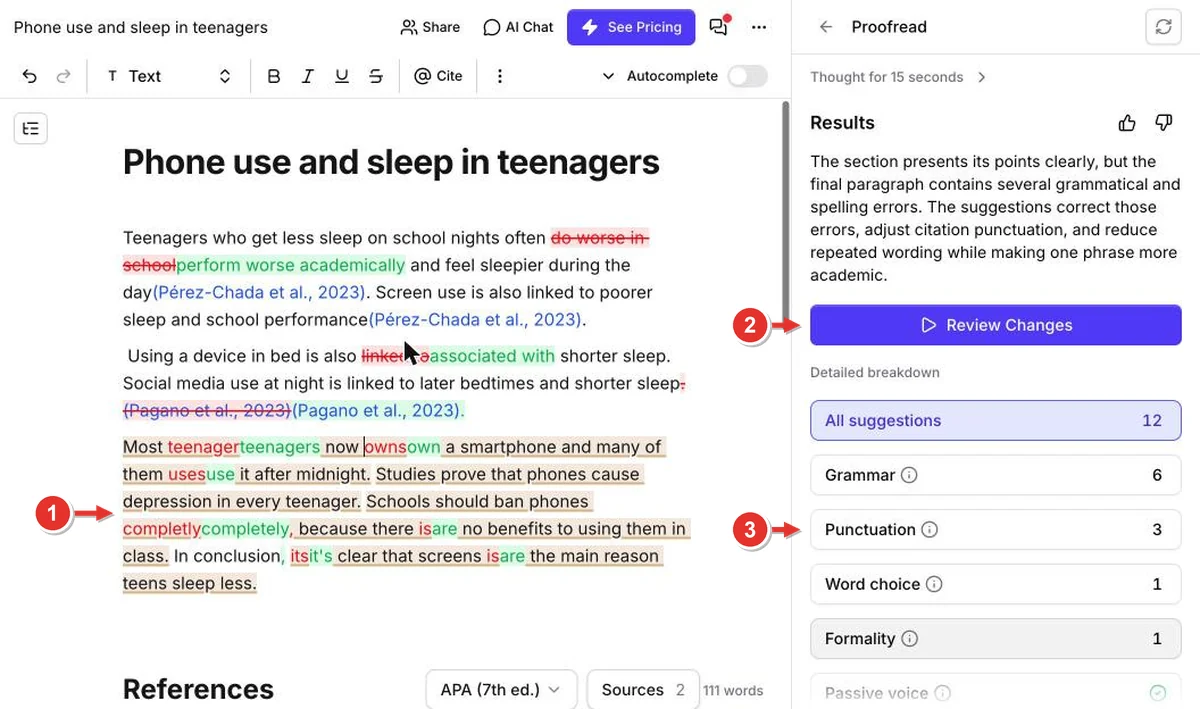
| Category | Suggestions |
|---|---|
| Grammar | 6 |
| Punctuation | 3 |
| Word choice | 1 |
| Formality | 1 |
| Repetition | 1 |
| Passive voice | 0 |
| Formatting | 0 |
It caught every planted error: teenager → teenagers, owns → own, uses → use, completly → completely, is → are (twice) and its → it’s.
It also moved full stops after the citations, changed a repeated “linked to” to “associated with” and made “do worse in school” more academic.
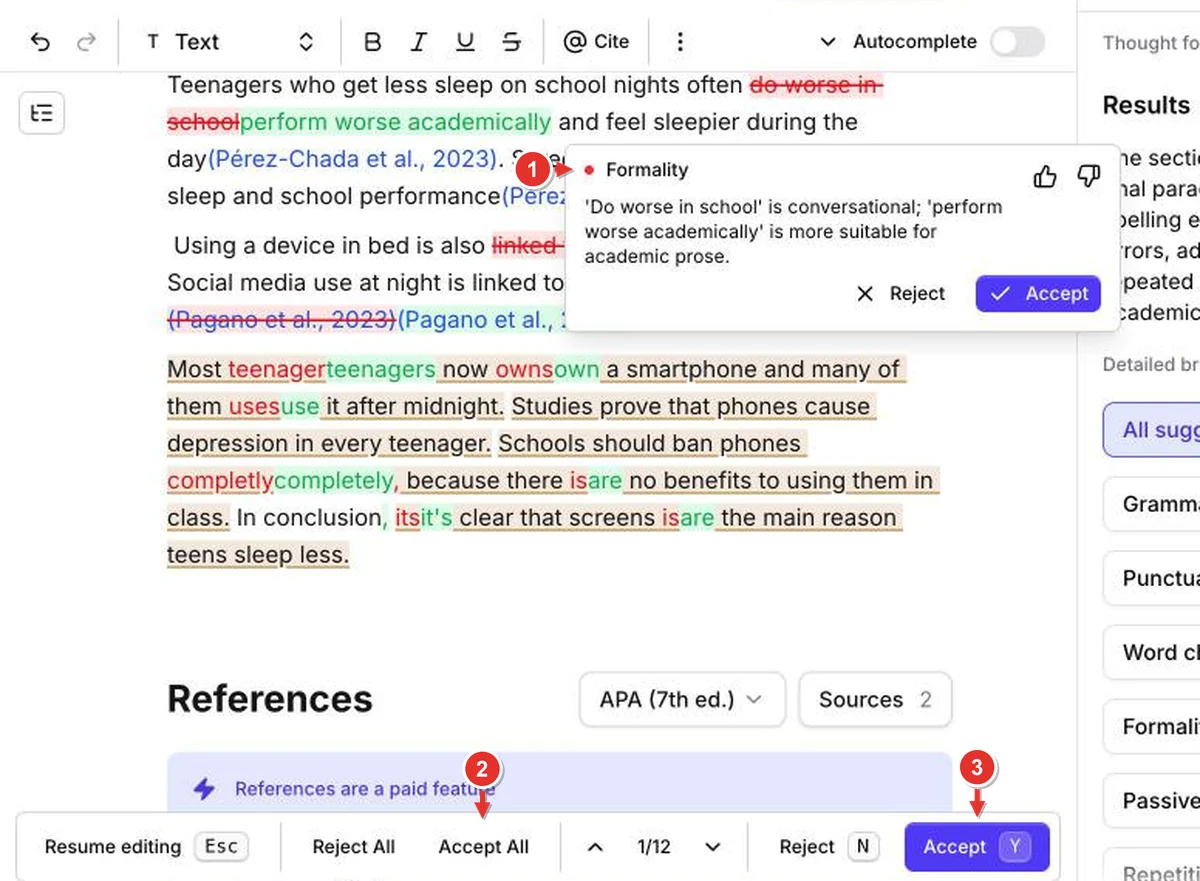
Click Review Changes to go through them one at a time. The keyboard shortcuts are Y to accept and N to reject.
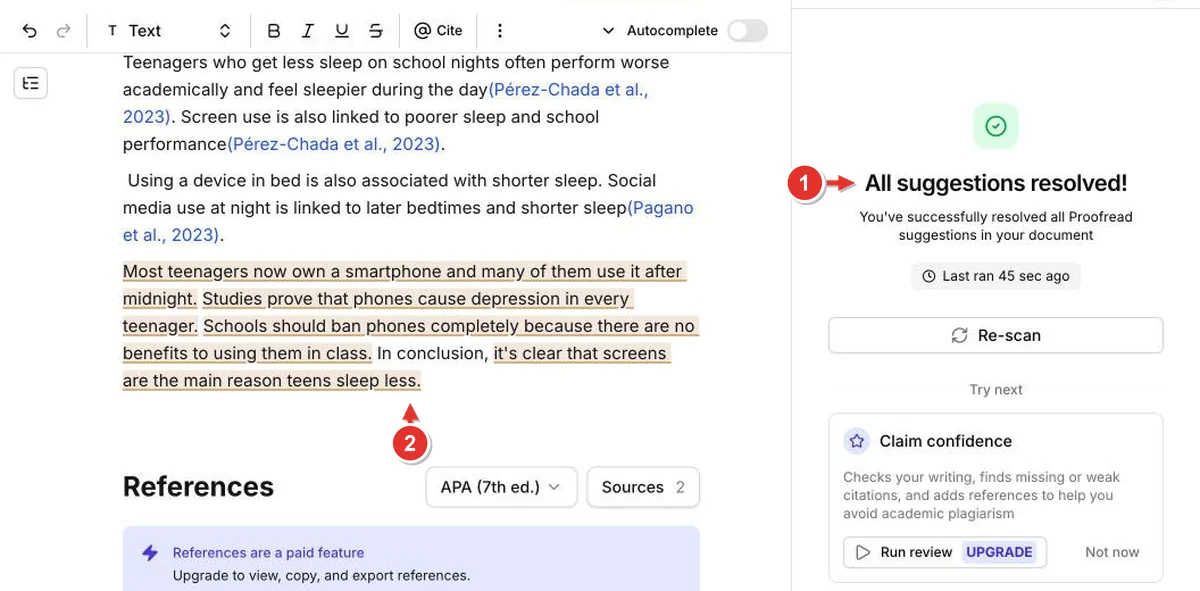
Note that Proofread fixed the language but not the claims. “Studies prove that phones cause depression in every teenager” was still there.
That’s why you want Peer review or Claim confidence too.
Claim confidence
Claim confidence looks for statements that need a citation, or have a weak one, and suggests references. Its settings icon shows where it looks.
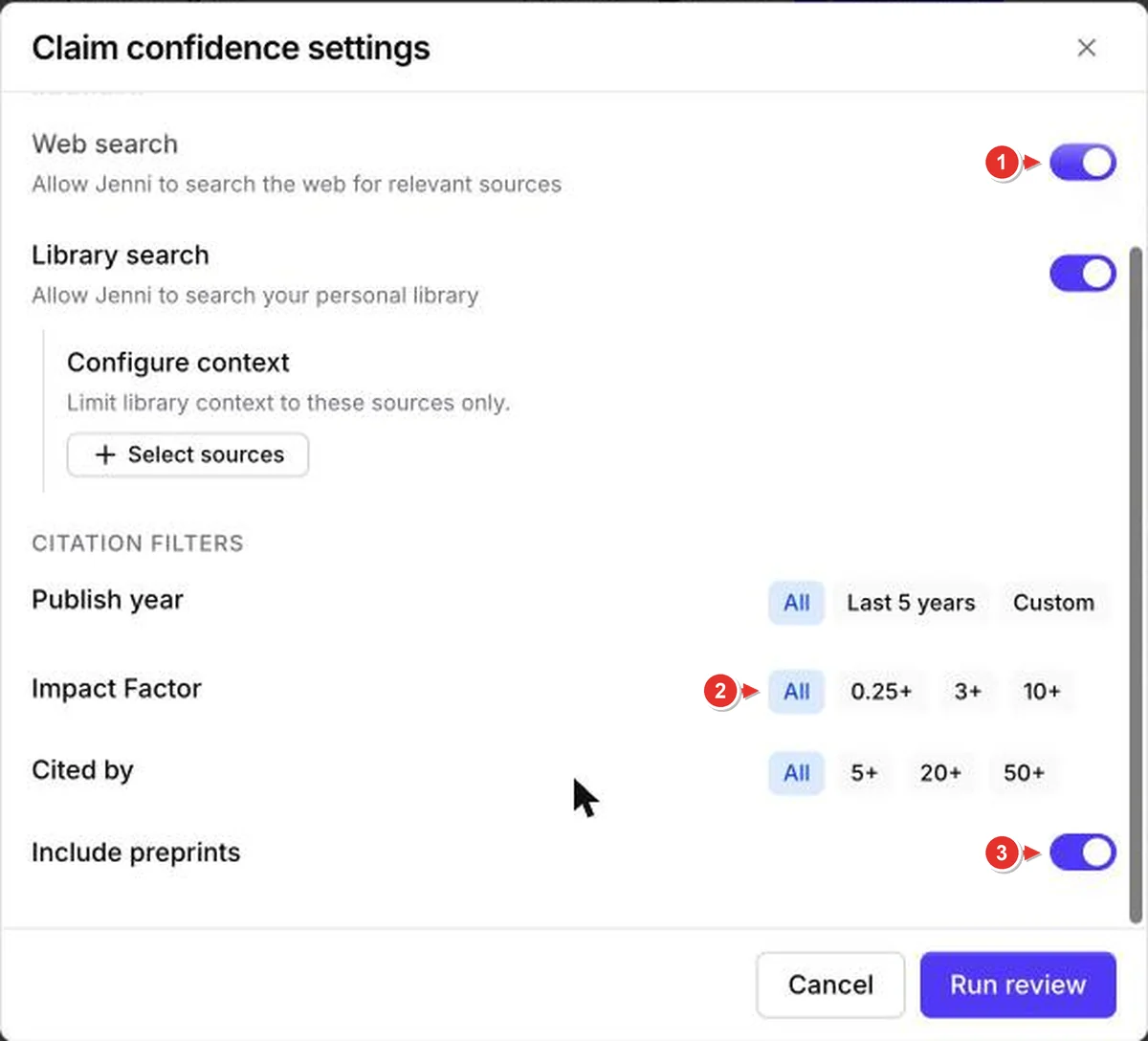
You can limit it to papers from the last 5 years, journals with an impact factor of 3+ or 10+, or papers cited 20+ times. Changes here also apply to your document’s citation settings.
We had no free reviews left to run it, so we can’t show its results yet.
Source Quality
Source Quality checks the papers you cited, not your writing. Jenni says it flags retractions, preprints and other quality issues.
Run it last, after your citations are in place. We didn’t run it in this test, because the free reviews were used up.
Tone of Voice
Tone of Voice compares your writing with a style. Click its settings icon to choose one.
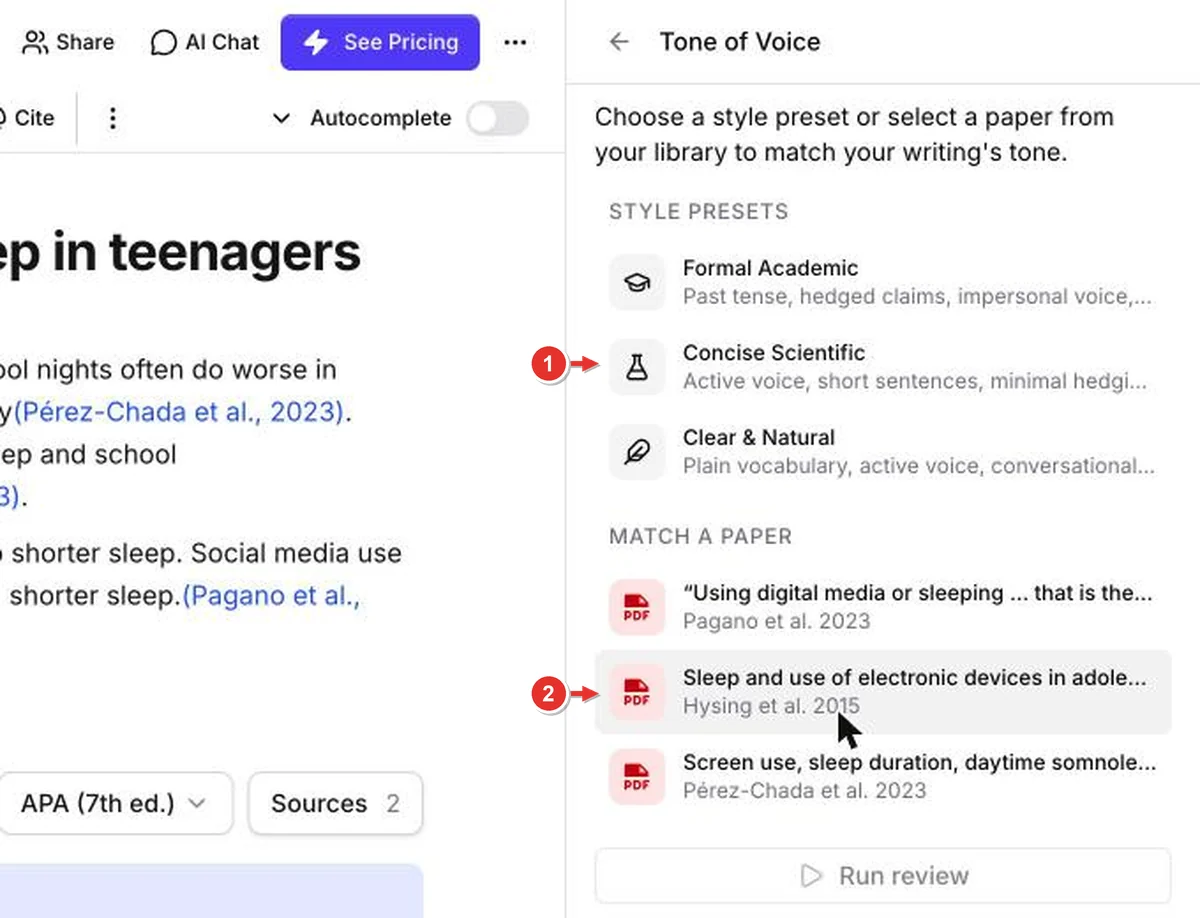
Matching a paper is handy when your target journal has a house style: pick a paper from that journal. We opened the settings but didn’t run this review.
Which review to run first
With only 3 free reviews, order matters. This is what we’d do:
- Peer review on your full draft. It finds the biggest problems: weak argument and unsupported claims.
- Fix those, then run Claim confidence or add citations with Find papers.
- Proofread last, once the text won’t change much.
Each run uses one review, even on a short document. So run it on a complete draft, not paragraph by paragraph.
How many reviews are free?
The free plan includes 3 reviews in total. They are counted separately from your 5 AI requests.
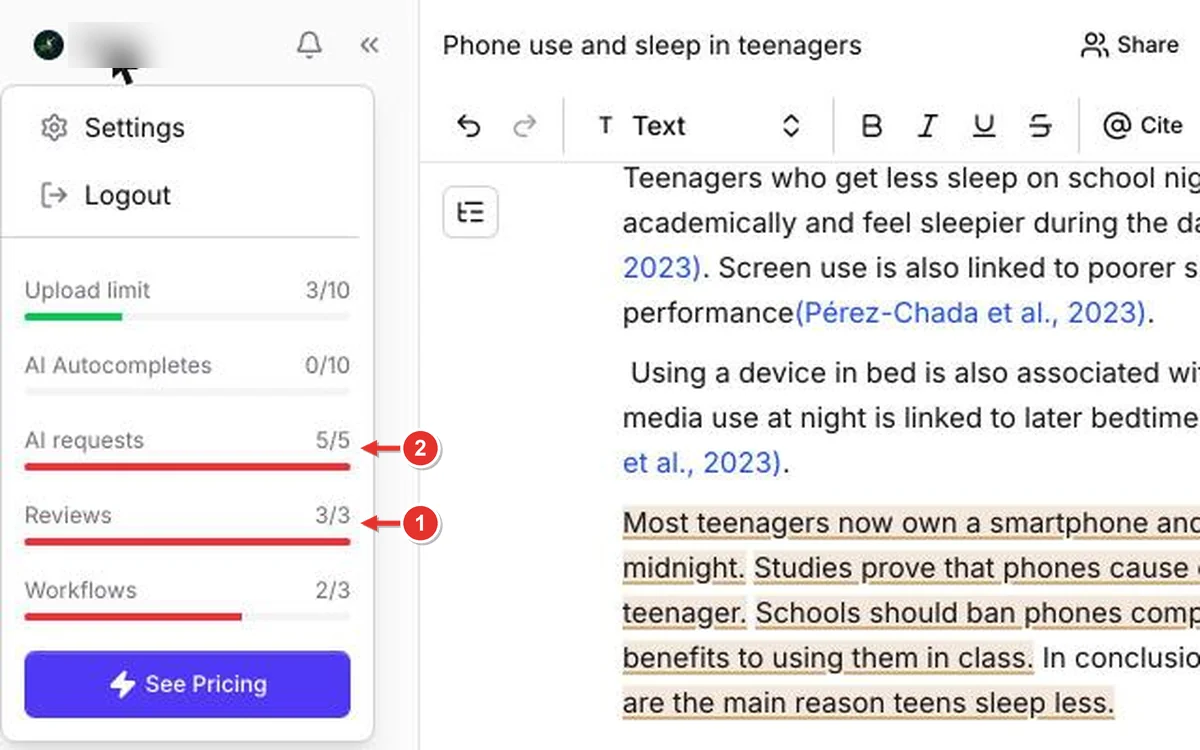
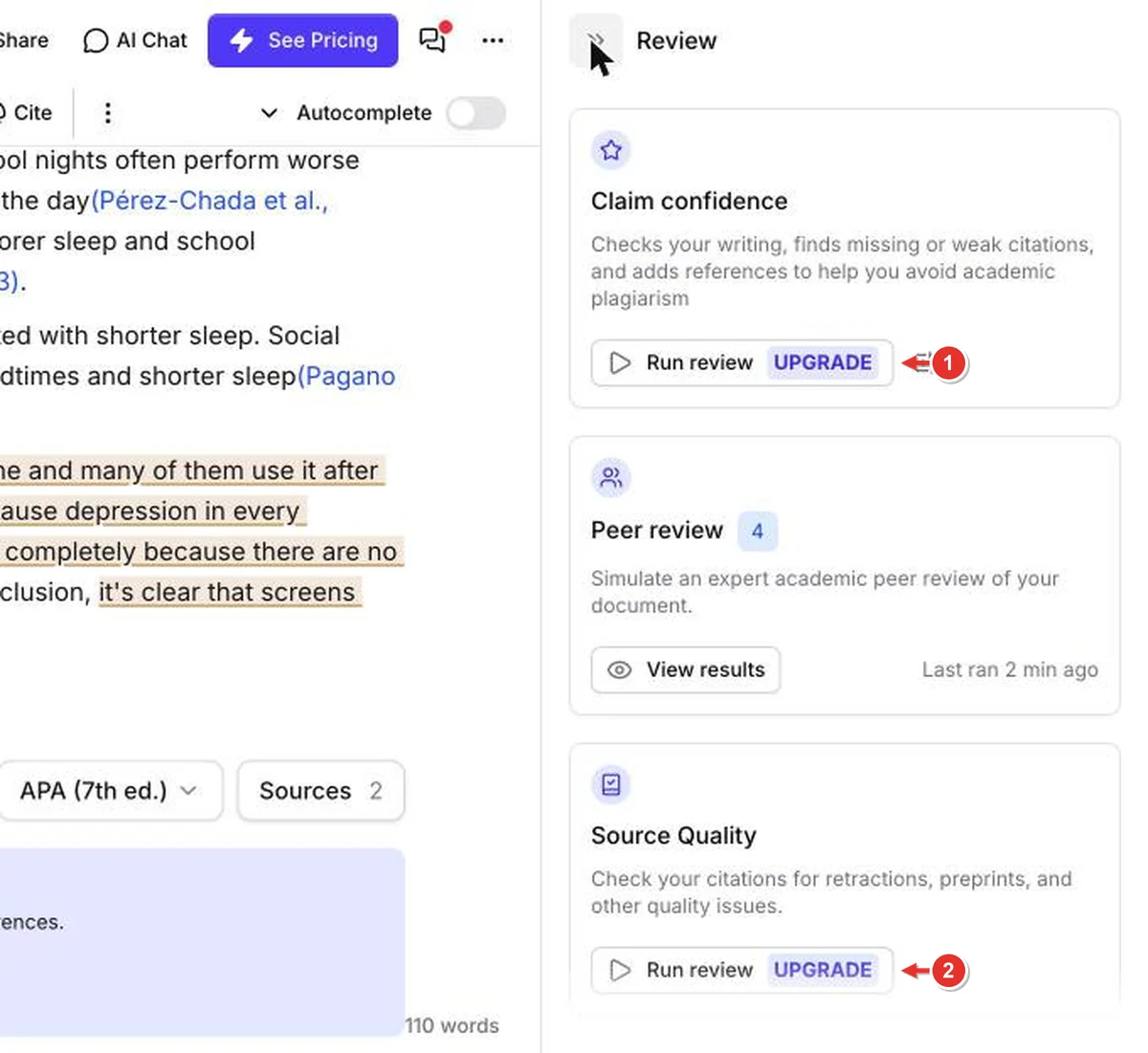
Our AI requests were already at 5/5, and both reviews still ran. Once all 3 reviews are used, every card shows Upgrade.
| Plan | Reviews | Price |
|---|---|---|
| Free | 3 in total | $0 |
| Plus | 10 a month | $12/mo billed yearly ($30 monthly) |
| Pro | Unlimited | $29/mo billed yearly ($73 monthly) |
Compare everything in our pricing guide, or see how to pay less for Jenni.
What we found when we tested it
- 10 of 10 citations pointed to real papers (8 fully correct)
- A 2,592-word literature review with 49 sources in 1 min 50 s
- In our essay test, Jenni wrote 76% of the words while we steered
Honest limit: 2 of 5 essay citations were loose matches for their sentence. Always open the source before you keep it.
Start Jenni free in 3 steps
- Sign up with Google or email.
- Describe your paper in the prompt box: topic, length and citation style.
- Press → to accept a suggestion, or keep typing to skip it.
No card needed. Upgrade only if you hit the free limits.
FAQ
Does Jenni AI have a peer review feature?
Yes. Click Review in the editor and run Peer review. It scores soundness, presentation and contribution, gives an overall score out of 10 and comments on weak sentences.
How many free reviews does Jenni AI give?
3 reviews in total on the free plan, separate from the 5 AI requests. Plus gives 10 a month and Pro is unlimited.
Does Jenni AI Proofread fix grammar?
Yes. In our test it fixed all 7 planted grammar and spelling errors and sorted 12 suggestions into categories like grammar, punctuation and formality.
Does Proofread change my text automatically?
No. Suggestions show as tracked changes. You accept or reject each one, or use Accept All.
What does Source Quality check?
According to Jenni, it checks your citations for retractions, preprints and other quality issues. We didn’t run it in this test.
Is Jenni AI Reviews the same as a real peer review?
No. It’s a fast AI check that caught every unsupported claim in our test, but a journal reviewer or tutor will judge your work in more depth.
Leave a Reply