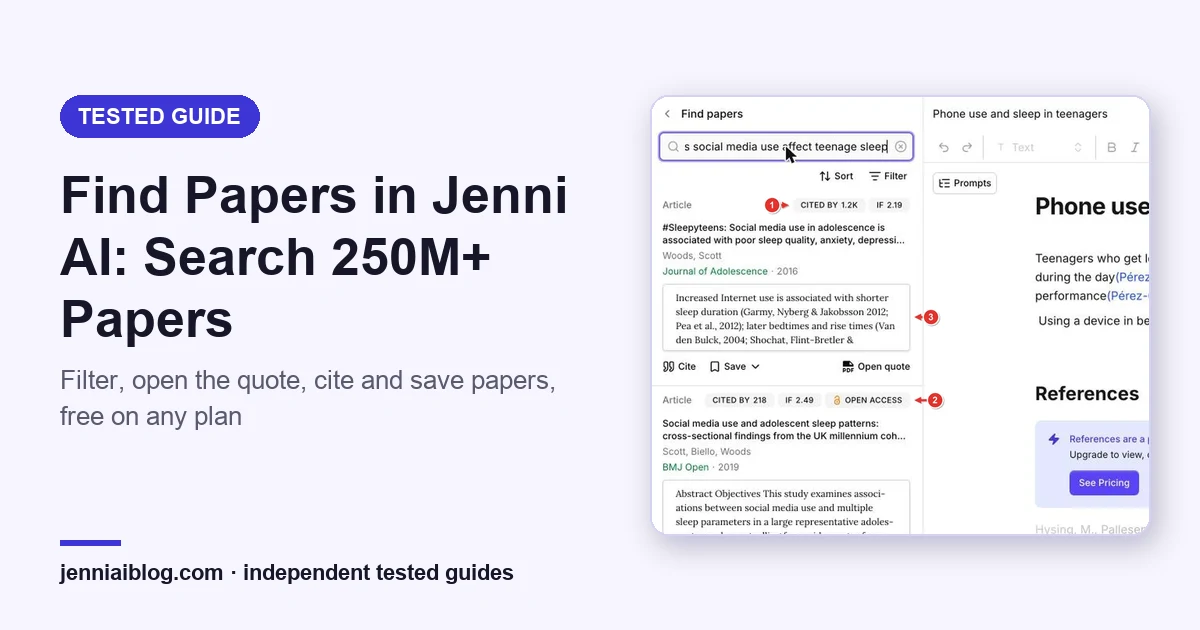
Quick answer: how do you find papers in Jenni AI?
Click Find papers in the left sidebar and type your question in plain words. Jenni searches 250M+ papers and shows each result with its citation count, journal impact factor, an Open Access badge and the passage that matches. Click Cite to add it to your document or Save to add it to your Library. In our test, searching was free and didn’t use any AI requests.
Search papers in Jenni for free. No card needed.
Is Jenni AI right for you?
✓ Great for
- Essays and research papers that need real citations
- Literature reviews and thesis chapters
- Writing from your own PDFs and sources
- Staying in control, one sentence at a time
✗ Not the right tool for
- Getting a finished essay in one click
- Grammar-only checking (a grammar tool is cheaper)
- Anyone who won’t check the sources it adds
We tested Find papers in a free Jenni account on November 27, 2026, while writing a short essay on phone use and sleep in teenagers. All of our 5 free AI requests were already used, and search still worked.
In this guide
- Open Find papers
- Search in plain words
- Read the results
- Filter by year and citations
- Sort the results
- Open the quote in the PDF
- Cite a paper in your document
- Save a paper to your Library
- Search from your document
- Is Find papers free?
- Tips for better searches
- FAQ
Open Find papers
Open any document and click Find papers in the left sidebar. A search panel opens next to your writing, so you don’t lose your place.
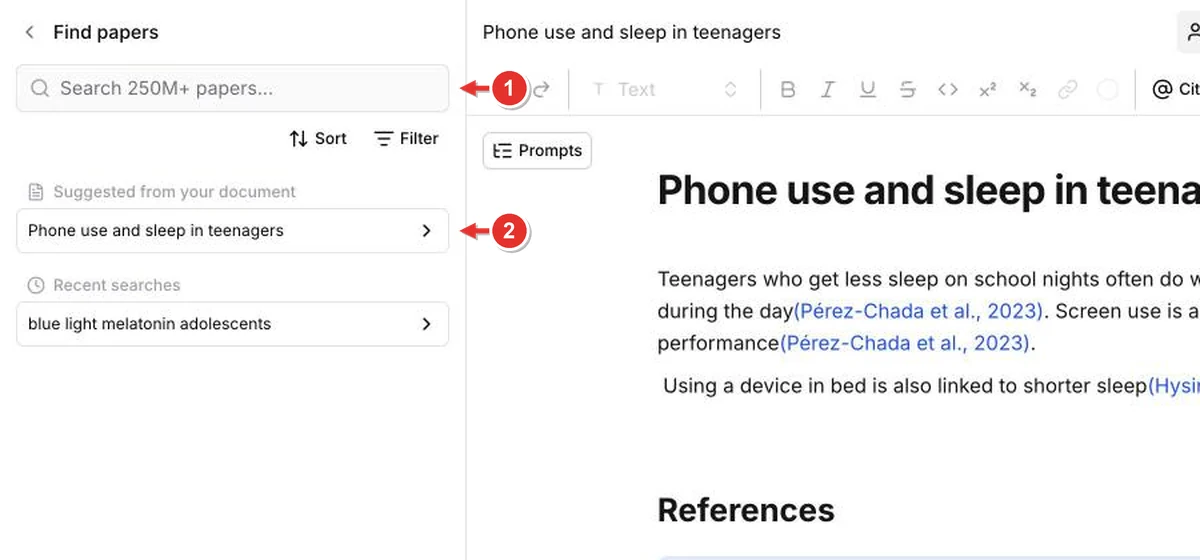
Search in plain words
You don’t need keywords or Boolean operators. We typed a full question: does social media use affect teenage sleep.
Jenni matched papers by meaning, not just exact words. The top results were studies on social media, sleep quality and adolescents, even where the title used different words.
What you get free
Jenni AI’s free plan, checked on jenni.ai/pricing in November 2026:
- 10 autocompletes a day (resets daily)
- 5 AI requests, shared by AI Chat, AI Edit and Ask Jenni
- 10 PDF uploads to write from your own sources
- 3 reviews and 3 workflow runs
- Unlimited in-text citations (the reference list is a paid feature)
No card needed · free forever. If you outgrow it, Plus is $12/mo billed yearly.
Read the results
Each result is a card with the paper type, title, authors, journal and year. Three things help you judge it quickly.
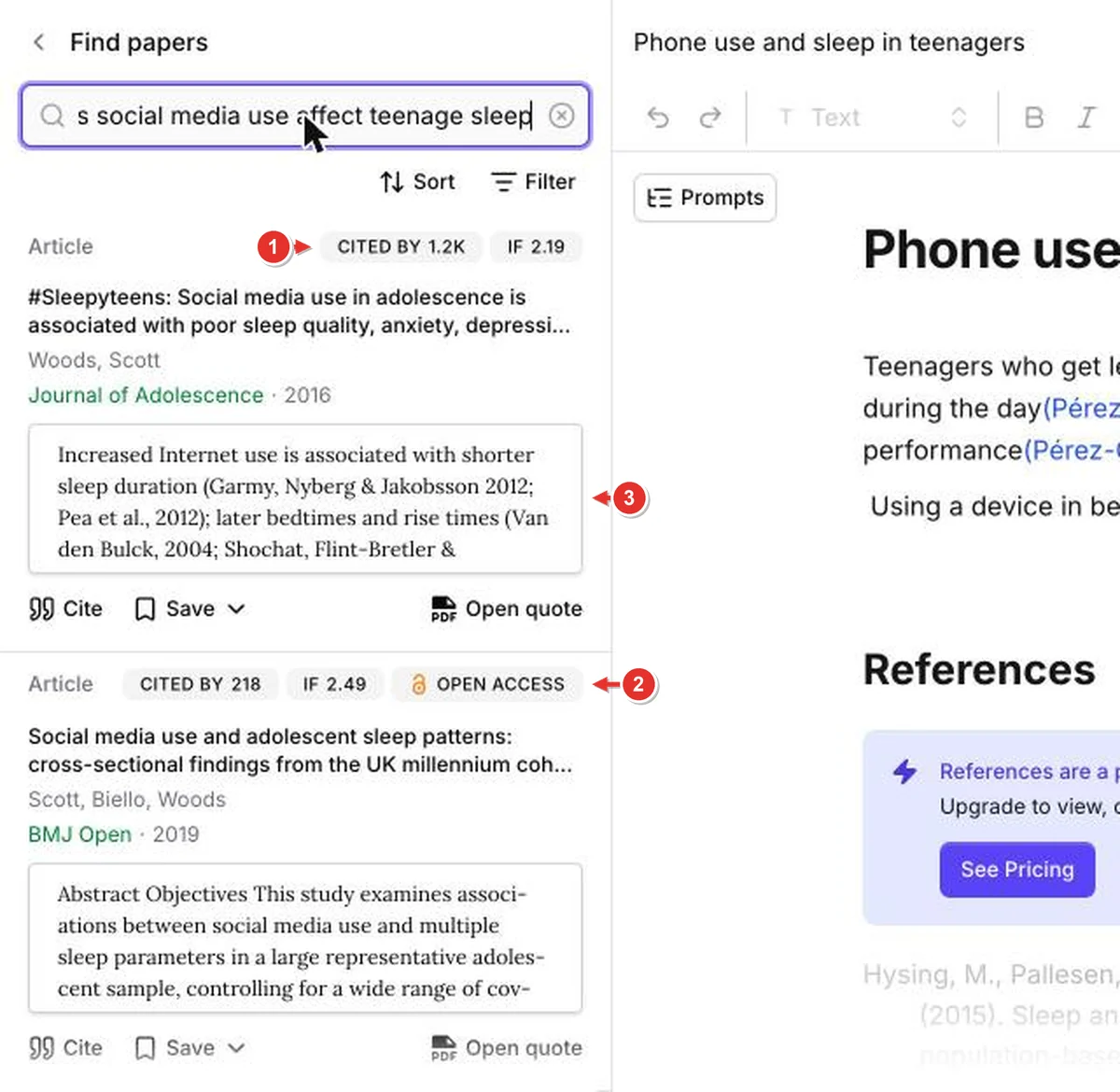
- Cited by: how many other papers cite it. Our top result had 1.2K citations.
- IF: the journal’s impact factor. Higher usually means a more selective journal.
- Open Access: the full PDF is free to read, so Jenni can open it and show the exact quote.
The grey box shows the sentence from the paper that matches your search. That tells you why it came up before you open it.
Filter by year and citations
Click Filter above the results. You can set a Publish year and a minimum Cited by count: 5+, 20+ or 50+.
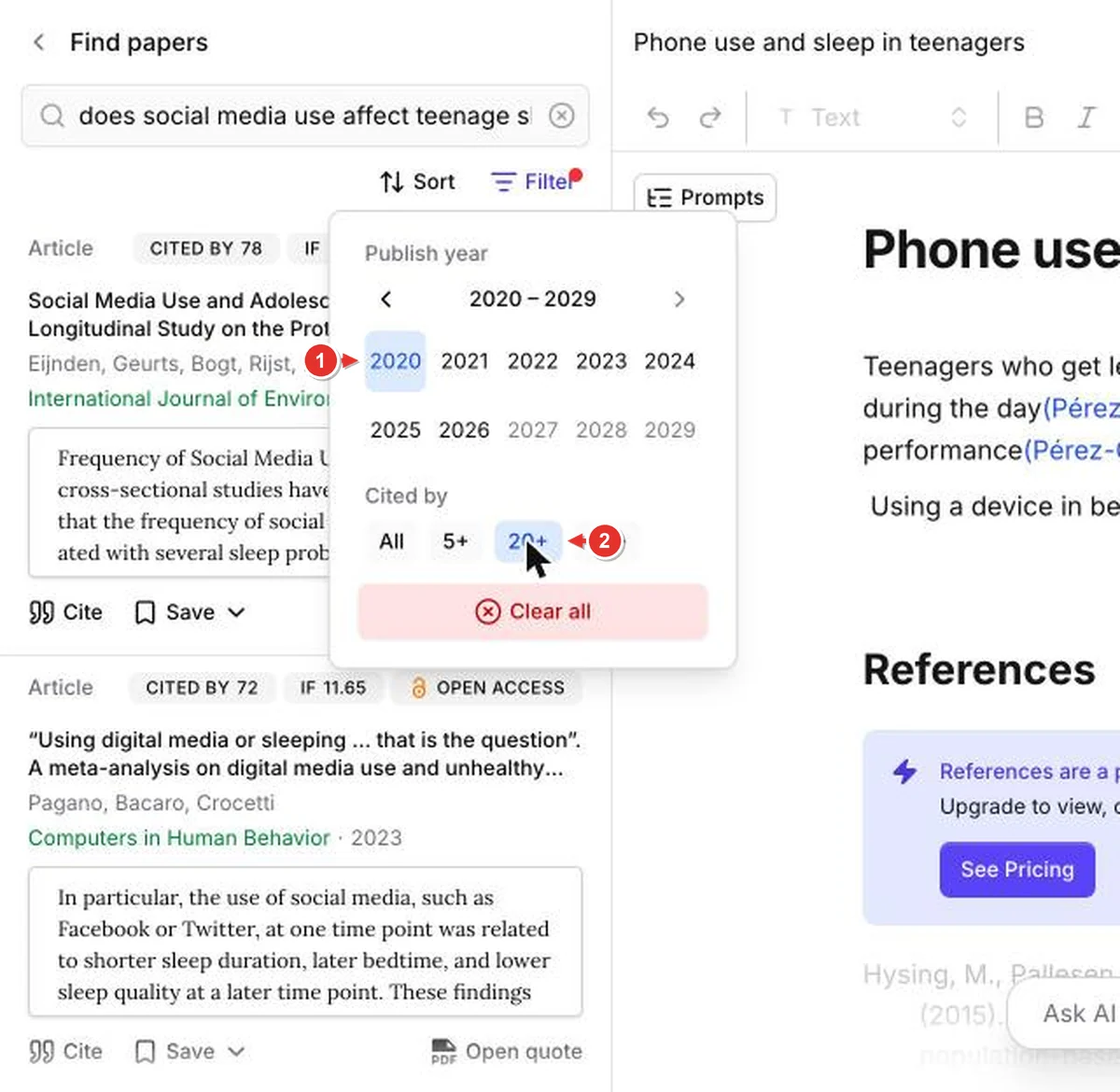
The year works as “from this year on”. Picking 2020 still showed papers from 2021, 2022 and 2023.
A red dot on Filter reminds you a filter is on; Clear all removes it.
Sort the results
Click Sort to change the order. The options are Relevance, Most Recent, Oldest and Most Cited.
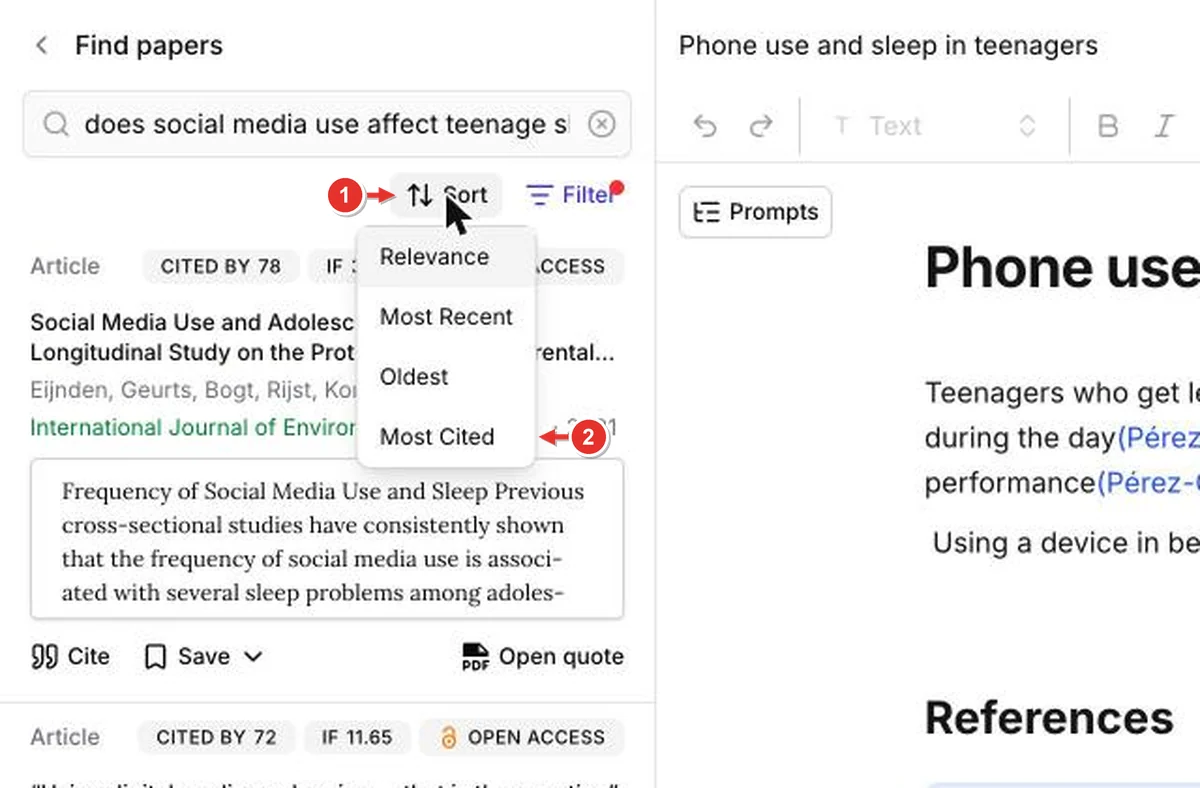
Use Most Recent for fast-moving topics, and Most Cited to find the classic studies everyone builds on.
Open the quote in the PDF
For Open Access papers, click Open quote. Jenni opens the full PDF next to your document and jumps to the matching passage, highlighted in yellow.
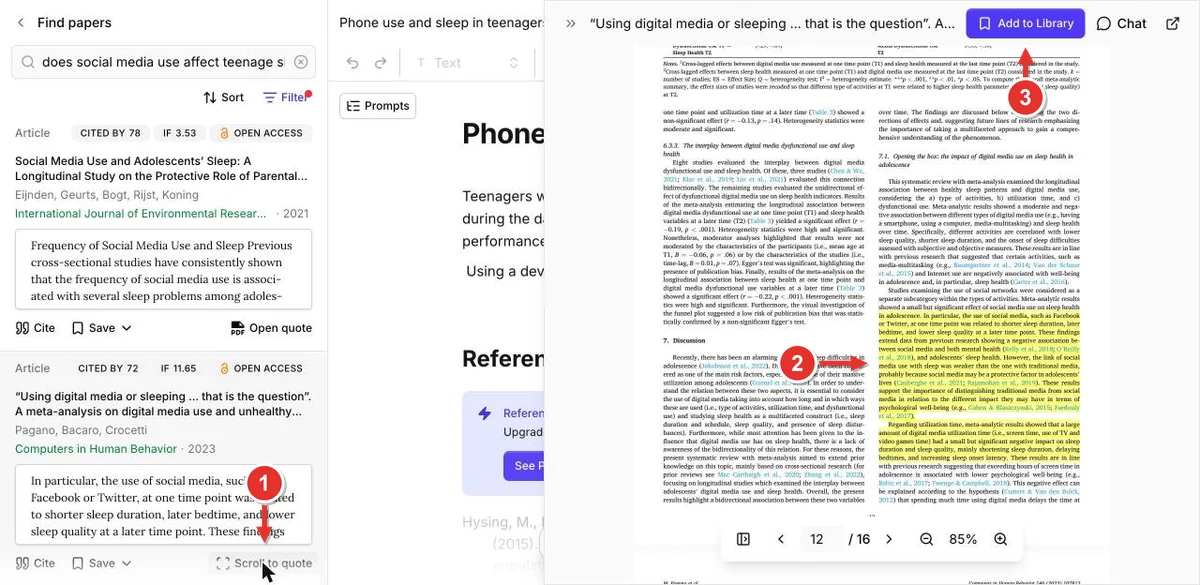
Our meta-analysis opened on page 12, right at the paragraph on social media and later bedtimes. That made it easy to check the claim before citing it.
Papers that aren’t Open Access show View instead. It opens the publisher’s page in a new tab, where you may need your university login.
Cite a paper in your document
Put your cursor where the citation should go, then click Cite on the result. Jenni adds the in-text citation in your chosen style.
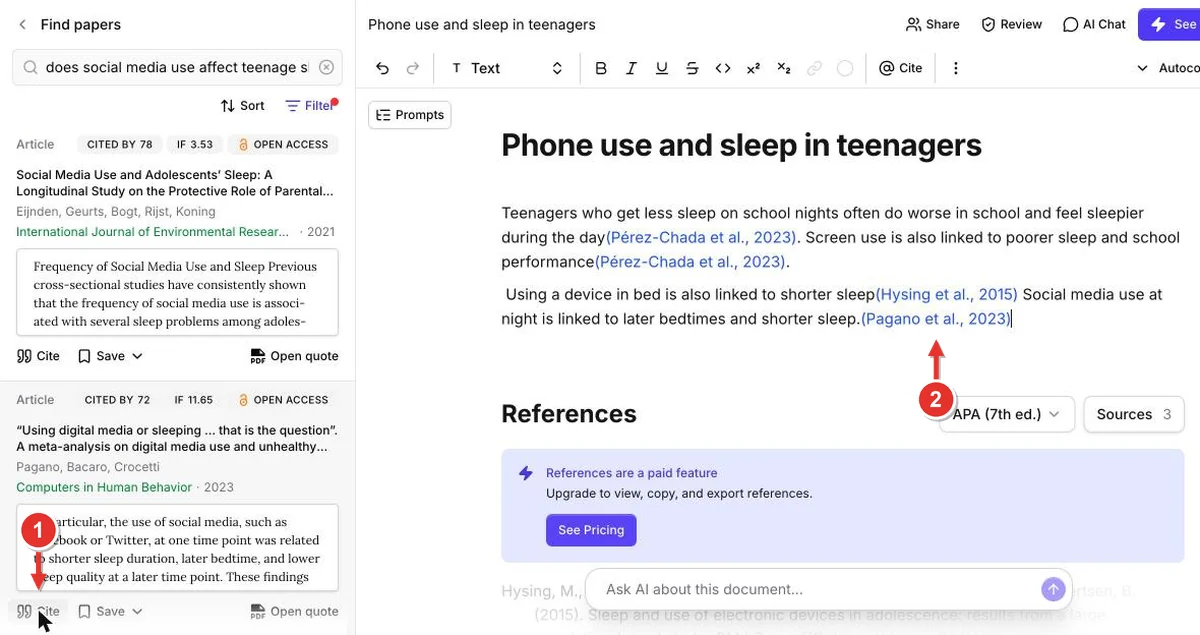
The paper is added to your document’s sources too. In-text citations are free; the full reference list needs a paid plan.
Save a paper to your Library
Click the arrow next to Save to pick a collection, then Add to Library. You can also type a new collection name.
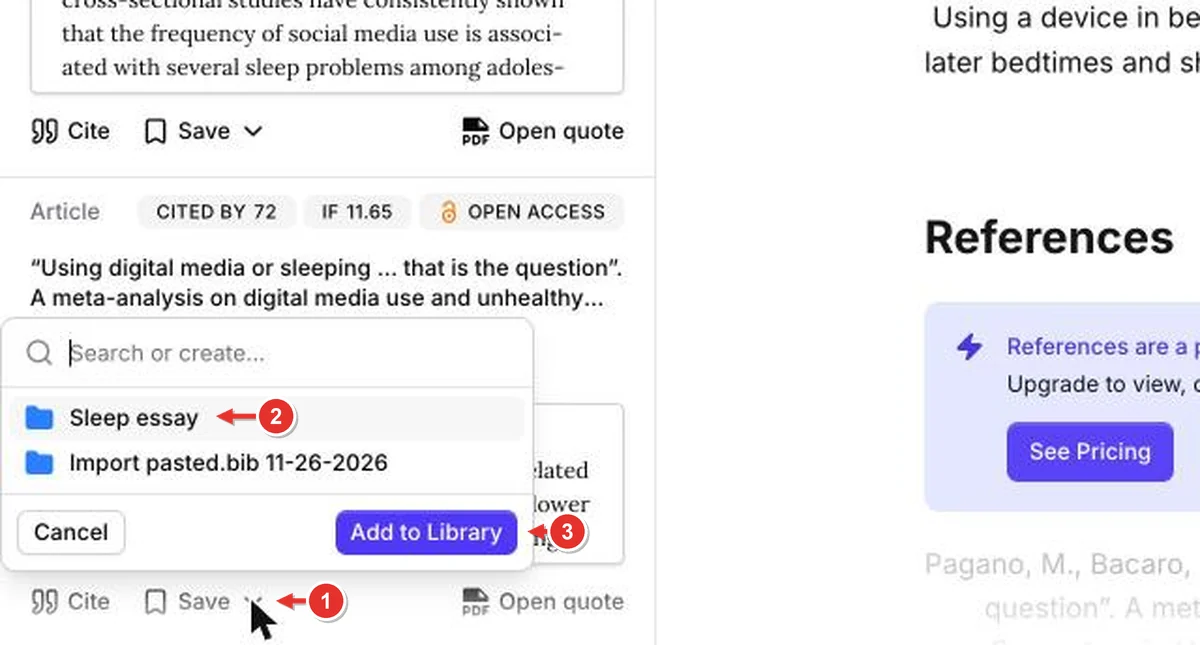
For Open Access papers, Jenni uploads the PDF as well. That lets you use the paper in AI Chat later.
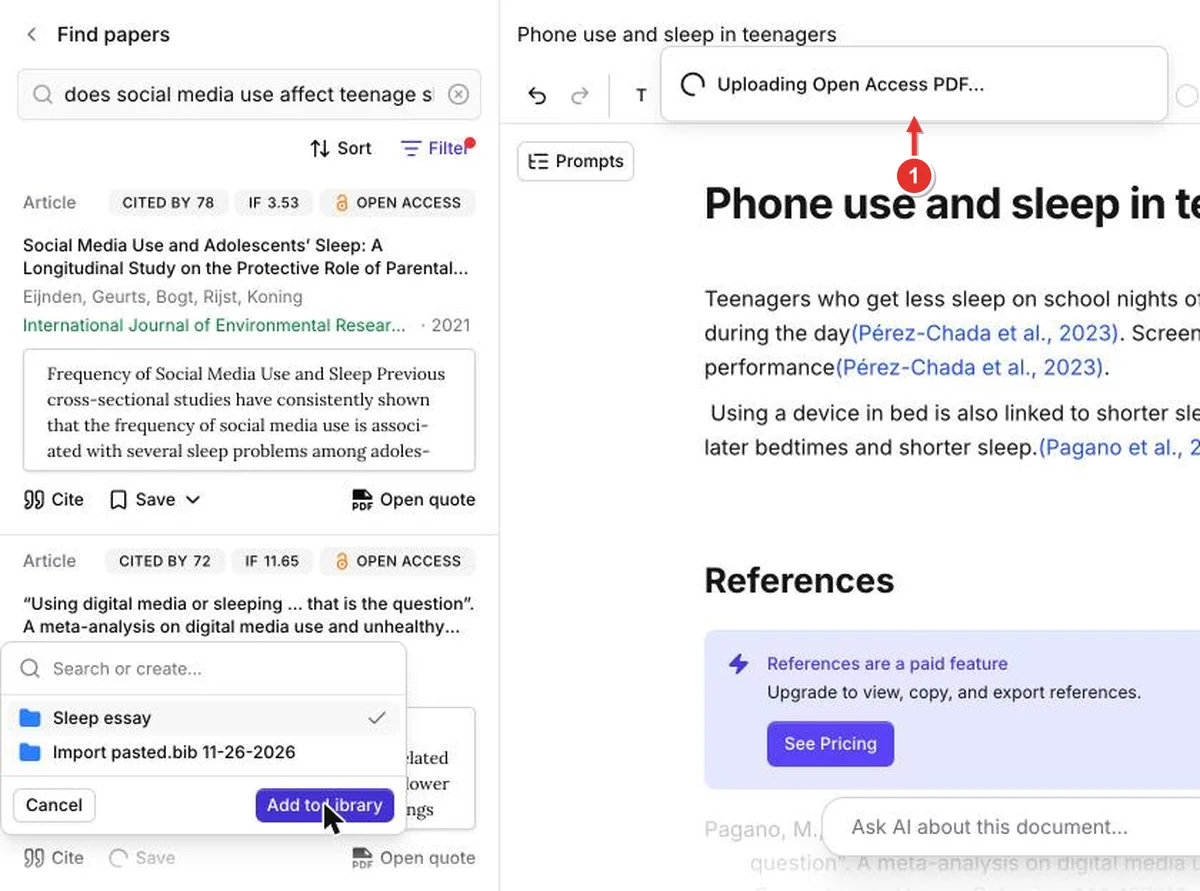
On the free plan that uses one of your 10 PDF uploads. Cite doesn’t use an upload, so only save papers you want to read in full.
More about collections, Zotero and Mendeley in our Jenni Library guide.
Search from your document
Under the empty search box, Suggested from your document offers a search based on what you’re writing. In our test it searched our document title.
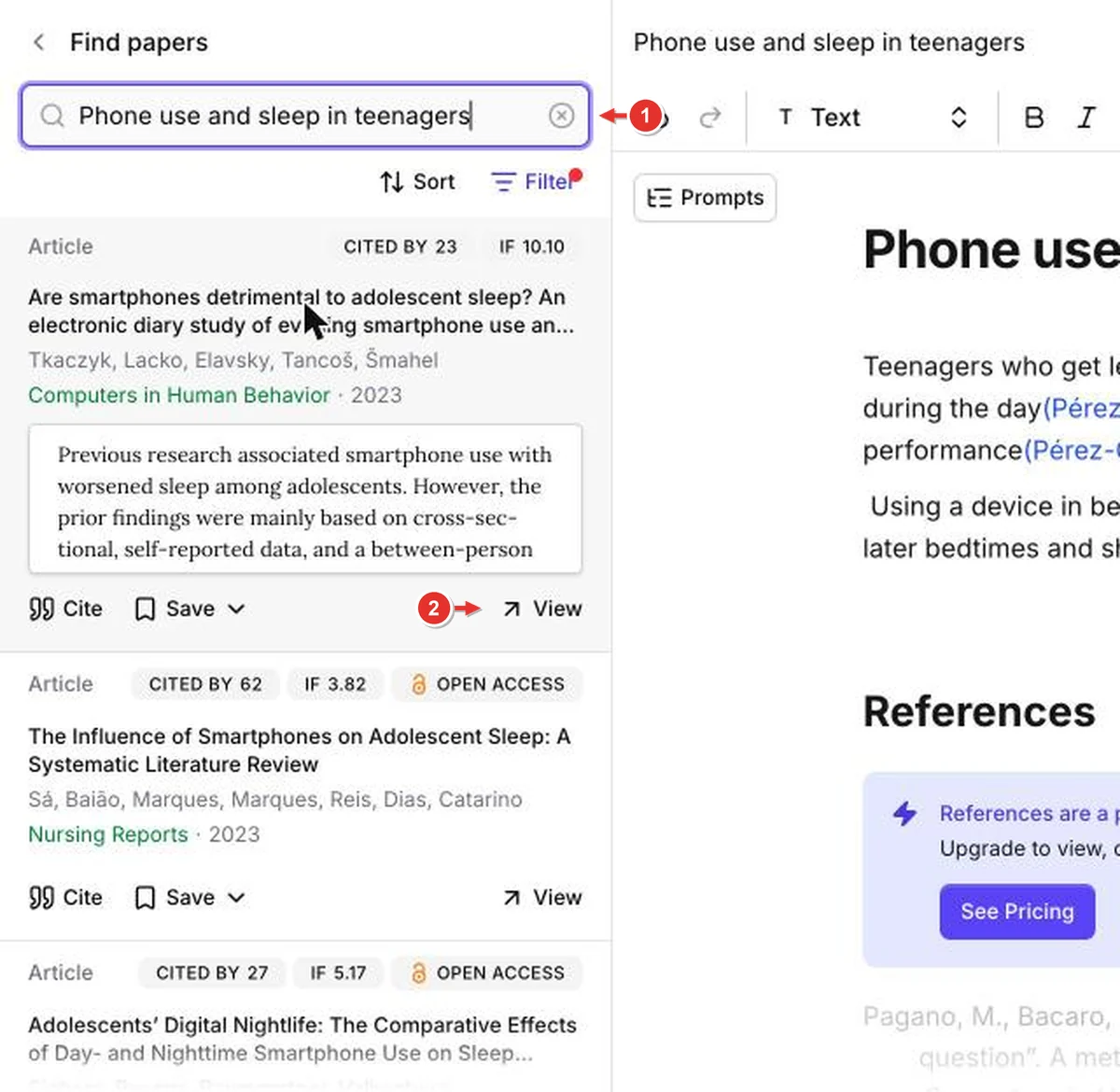
It’s a quick start, but a specific question usually gives better results than a title.
Is Find papers free?
Yes, in our test. We searched, filtered, sorted, opened quotes and cited papers with all 5 free AI requests already used.
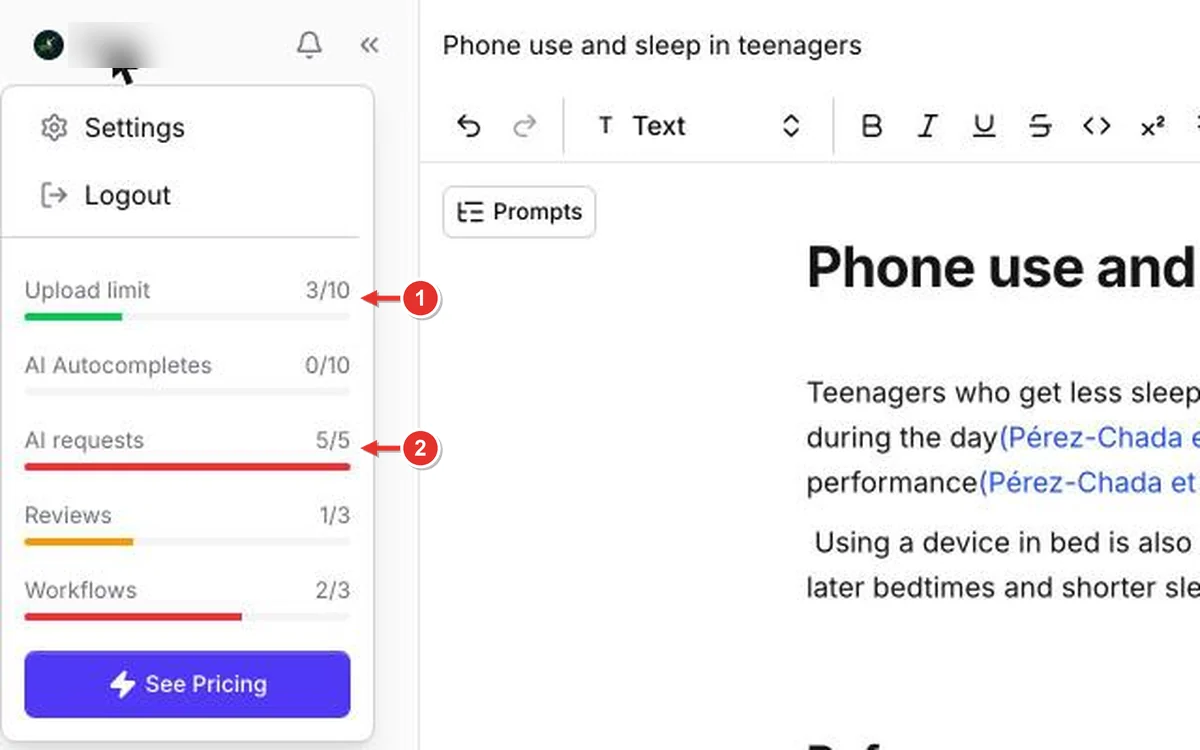
| Action | Free plan cost |
|---|---|
| Search, filter, sort | Free, no AI request |
| Open quote / View | Free |
| Cite (in-text) | Free |
| Save an Open Access paper | 1 of 10 PDF uploads |
| Full reference list | Paid plans only |
Jenni’s pricing page doesn’t list a search limit on any plan. Paid plans remove the upload limit and unlock the reference list.
See our Free vs Plus vs Pro guide.
Tips for better searches
- Ask a full question, like you would ask a librarian.
- Add the group you study: “in adolescents”, “in nurses”, “in UK schools”.
- Use Cited by 20+ to skip papers few others cite, then sort by Most Recent.
- Read the matching quote, and open the PDF, before you cite.
- Check the paper type: a review or meta-analysis sums up many studies.
Building a literature review? Our Jenni literature review guide shows the next steps.
What we found when we tested it
- 10 of 10 citations pointed to real papers (8 fully correct)
- A 2,592-word literature review with 49 sources in 1 min 50 s
- In our essay test, Jenni wrote 76% of the words while we steered
Honest limit: 2 of 5 essay citations were loose matches for their sentence. Always open the source before you keep it.
Start Jenni free in 3 steps
- Sign up with Google or email.
- Describe your paper in the prompt box: topic, length and citation style.
- Press → to accept a suggestion, or keep typing to skip it.
No card needed. Upgrade only if you hit the free limits.
FAQ
How many papers can Jenni AI search?
The search box says 250M+ papers. Each result shows its citation count, journal impact factor and an Open Access badge when the full text is free.
Is Find papers in Jenni AI free?
Yes, in our test. Searching, filtering and citing worked on the free plan with all 5 AI requests used. Saving an Open Access paper uses 1 of the 10 free PDF uploads.
Can I filter Jenni AI search results?
Yes. Filter by publish year (from a chosen year on) and by Cited by 5+, 20+ or 50+. Sort by Relevance, Most Recent, Oldest or Most Cited.
Can I read the full paper in Jenni?
For Open Access papers, yes. Open quote opens the PDF in Jenni at the matching passage. Other papers show View, which opens the publisher’s page.
How do I cite a paper from Find papers?
Place your cursor in the document and click Cite on the result. Jenni adds an in-text citation and adds the paper to your sources.
Are the search results reliable?
They come from published papers with real metadata, but always read the matching passage or the PDF before you cite a claim.
Leave a Reply