Quick answer: what’s the best free AI literature review generator?
We gave four tools the same question on free accounts. Jenni AI wrote the most complete, editable draft (2,592 words, 49 sources). Elicit gave the most careful, evidence-checked report. Consensus is best for a fast yes/no overview with its Consensus Meter. SciSpace is quickest and best for a table of papers. All four have a free tier with small monthly limits.
Our top pick for a full first draft is free to try (3 literature reviews on the free plan).
Is Jenni AI right for you?
✓ Great for
- Essays and research papers that need real citations
- Literature reviews and thesis chapters
- Writing from your own PDFs and sources
- Staying in control, one sentence at a time
✗ Not the right tool for
- Getting a finished essay in one click
- Grammar-only checking (a grammar tool is cheaper)
- Anyone who won’t check the sources it adds
“AI literature review generator” tools promise to turn a research question into a cited review in minutes. We tested the four most popular free options on the same topic, in November 2026, and compared what you actually get without paying.
Full transparency: this site covers Jenni AI and may earn from Jenni sign-ups. We ran every tool the same way and report the weak spots of each, including Jenni’s.
In this guide
- Comparison at a glance
- How we tested
- 1. Jenni AI
- 2. Elicit
- 3. Consensus
- 4. SciSpace
- Which one should you use?
- How to use any AI literature review tool safely
- FAQ
Comparison at a glance
| Tool | What you get free | Our test output | Sources used | Best for | Score |
|---|---|---|---|---|---|
| Jenni AI | 3 workflow runs, 10 autocompletes a day | 2,592-word themed review in an editable document | 49 cited | A full first draft you keep writing in | 4.4 / 5 |
| Elicit | Limited Research Agent and reports; unlimited search | ~1,360-word evidence report with a citation check | 8 studies (106 screened) | Careful, nuanced evidence summaries | 4.3 / 5 |
| Consensus | 10 Pro messages and 3 Deep reviews a month | ~760-word answer + Consensus Meter | 20 papers read | A quick overview of what studies agree on | 4.0 / 5 |
| SciSpace | 100 credits a month, Lite model | 335-word summary + table of papers | 5 papers (10 listed) | A fast table of papers to read | 3.6 / 5 |
How we tested
We asked every tool the same question:
How does smartphone and social media use at bedtime affect sleep quality and duration in adolescents aged 13-18?
We used each tool’s own literature review feature on a free account: Jenni’s Literature review workflow, Elicit’s Draft report, Consensus’s default search (Pro mode) and SciSpace’s Literature Review (Standard).
Then we compared length, number of sources, structure, how easy it is to keep writing, and anything that looked wrong.
What you get free
Jenni AI’s free plan, checked on jenni.ai/pricing in November 2026:
- 10 autocompletes a day (resets daily)
- 5 AI requests, shared by AI Chat, AI Edit and Ask Jenni
- 10 PDF uploads to write from your own sources
- 3 reviews and 3 workflow runs
- Unlimited in-text citations (the reference list is a paid feature)
No card needed · free forever. If you outgrow it, Plus is $12/mo billed yearly.
1. Jenni AI: best for a full, editable first draft
Jenni’s Literature review workflow (Workflows → Literature review → Set up) asks for your topic, sources and depth, then writes a complete themed review into a normal Jenni document.
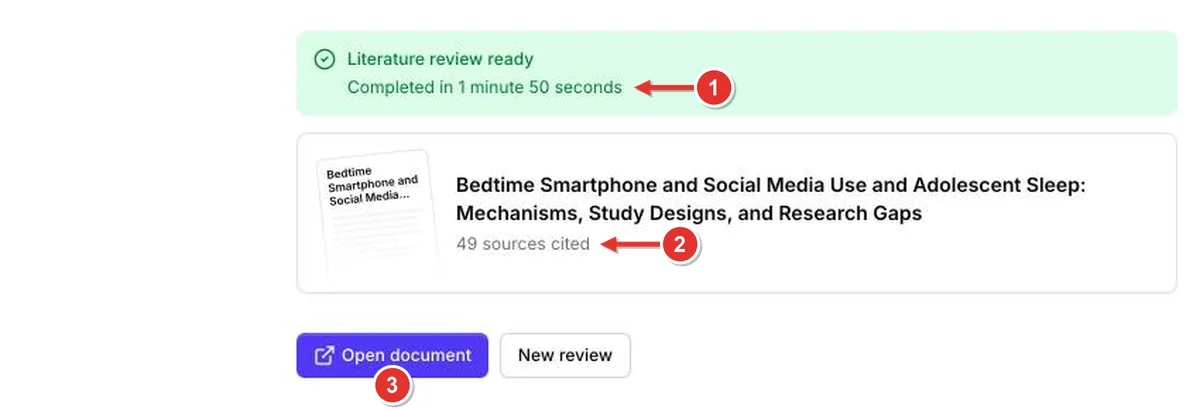
Our review followed the themes we asked for, compared study designs in a table, and ended with research gaps. Because it opens in the editor, you can keep writing with autocomplete and fix citations straight away.
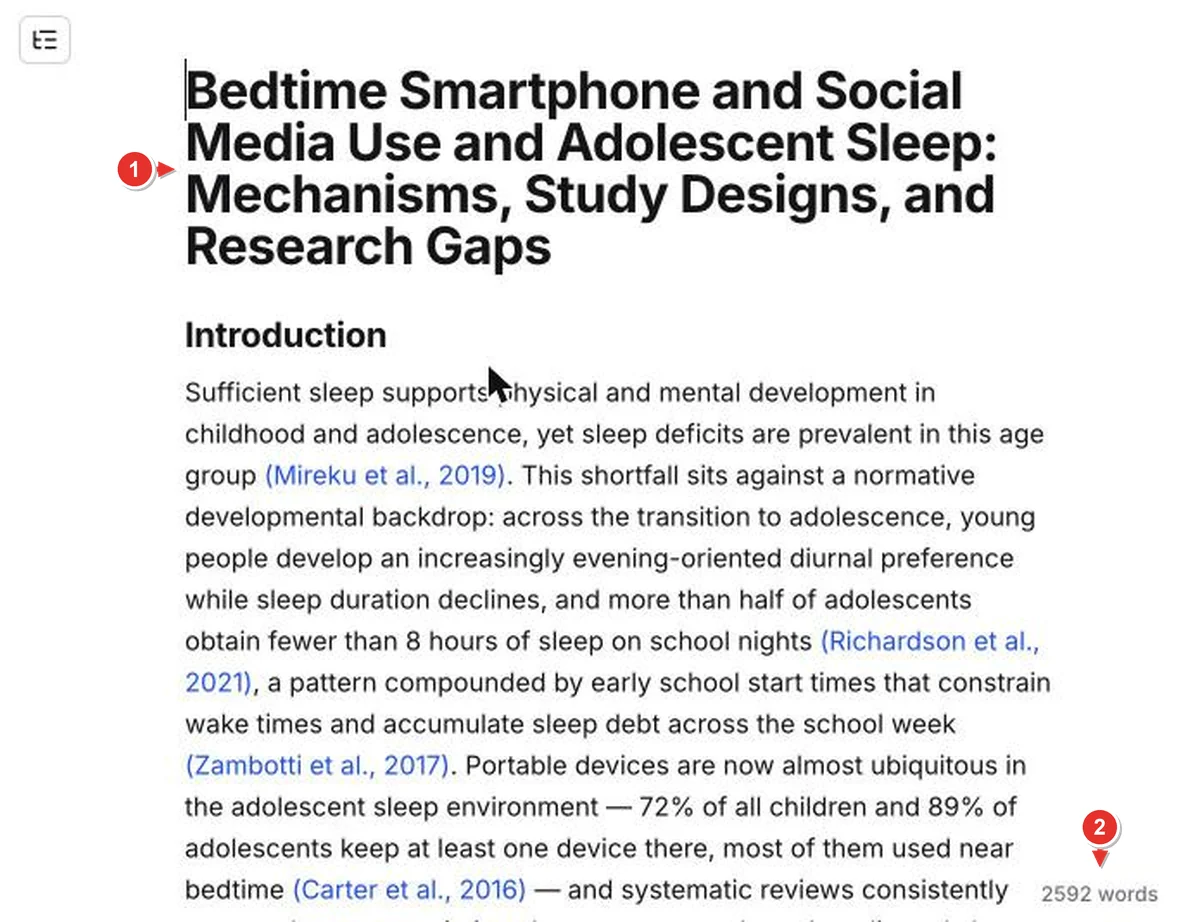
- Pros: the longest and most structured output; real synthesis by theme; editable; works with your own PDFs.
- Cons: longer than requested; the reference list is a paid feature; only 3 free workflow runs.
Step-by-step guide: Jenni AI literature review walkthrough.
2. Elicit: best for careful, evidence-checked reports
In Elicit, choose Draft report under the Research agent and type your question.
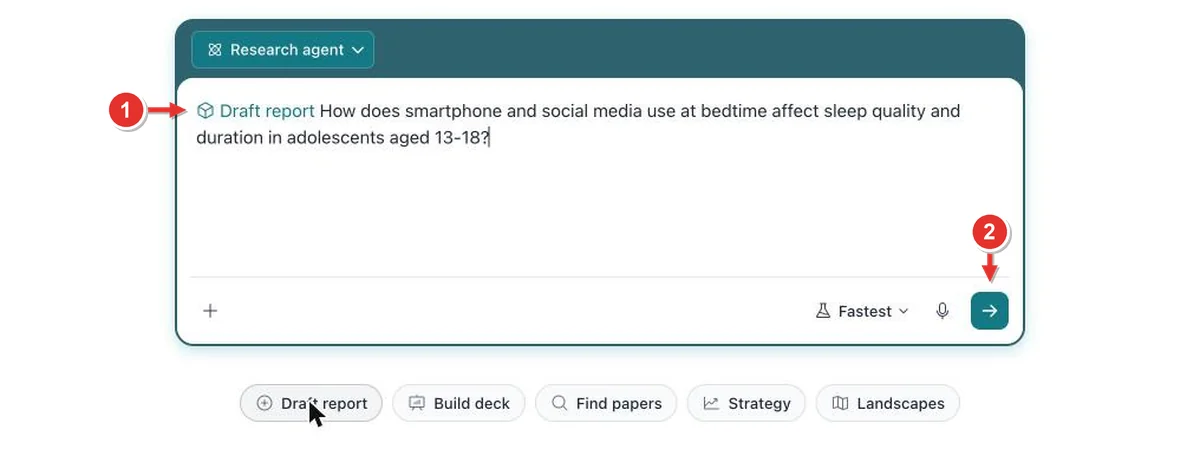
Elicit screened 106 sources, synthesized eight studies and then checked its own citations before finishing. Its conclusion was the most nuanced: when and how teens use phones matters more than a blanket “screens before bed” rule.
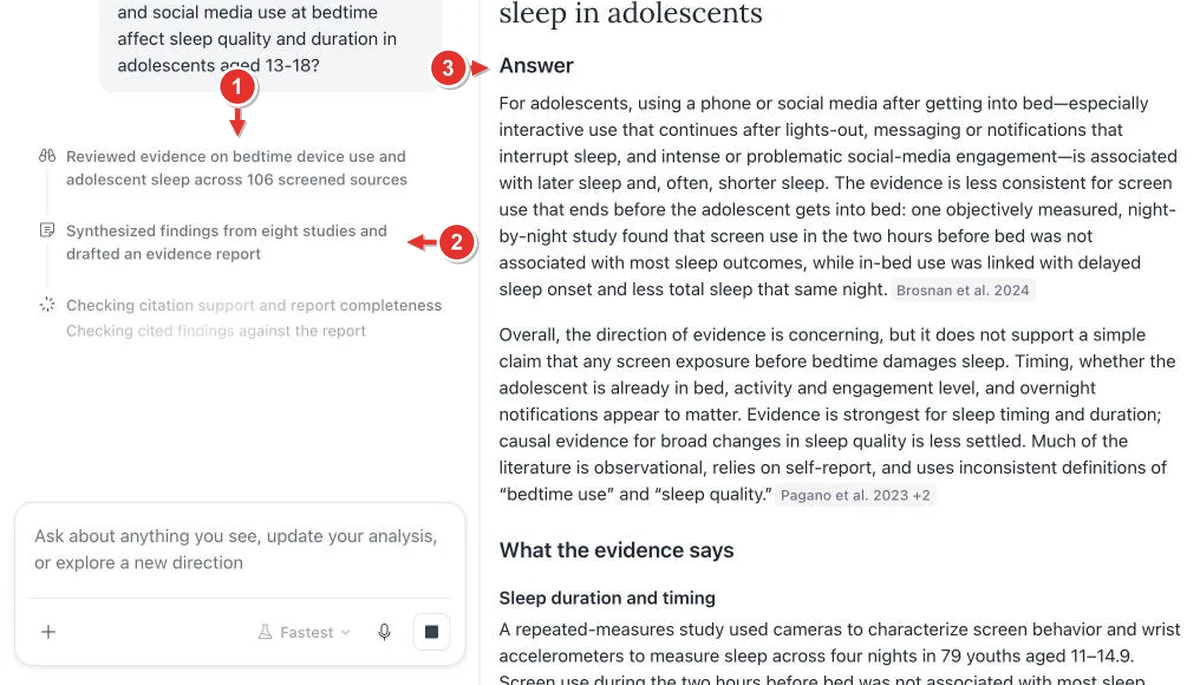
- Pros: careful wording; built-in citation-support check; shows how many sources it screened.
- Cons: based on fewer studies; free use of reports is limited; Elicit offers a paid trial when you sign up (we declined it).
3. Consensus: best for a quick “what do studies say?”
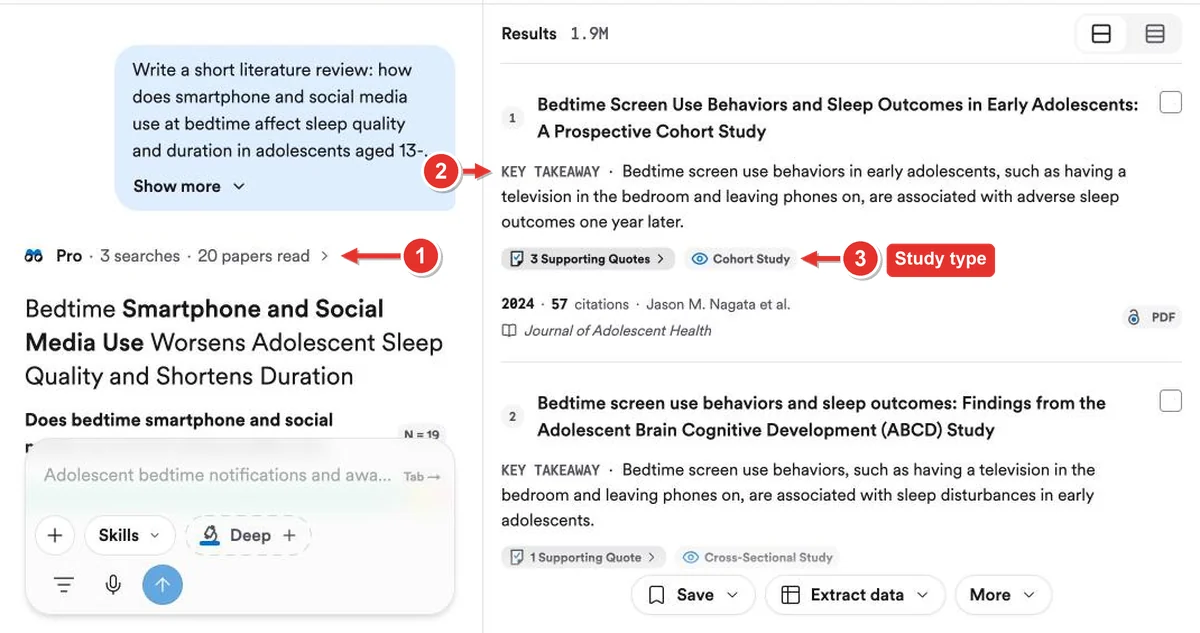
Consensus answered in Pro mode after 3 searches and 20 papers. Each reference shows a key takeaway, the study type and its citation count.
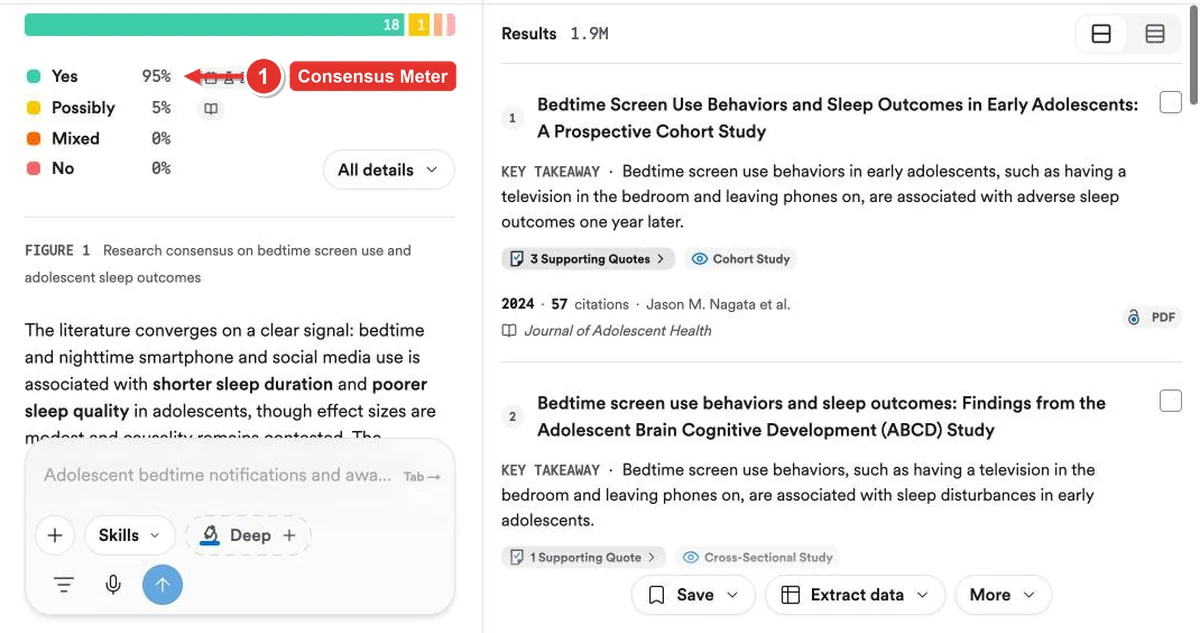
Its signature feature is the Consensus Meter, which shows how many papers support each answer.
- Pros: fast overview; study types and citation counts at a glance; clear sections including evidence limitations.
- Cons: the 95% “yes” hides the nuance Elicit found; free plan is 10 Pro messages a month.
4. SciSpace: best for a fast table of papers
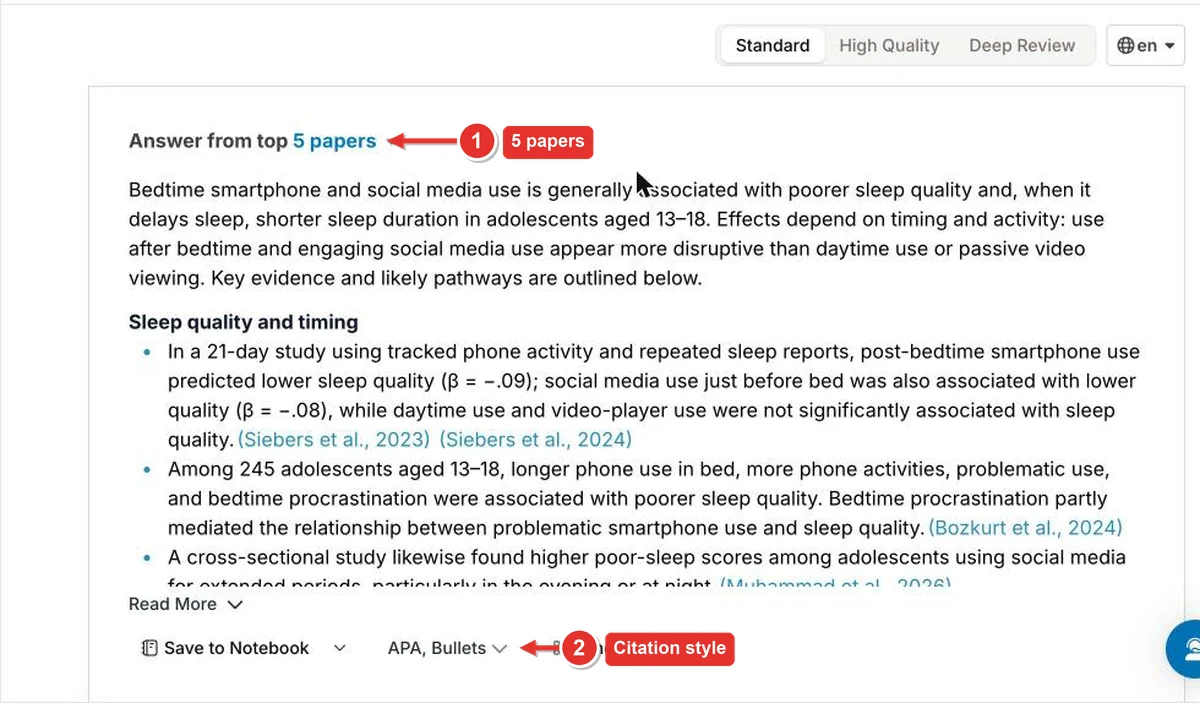
SciSpace’s Literature Review (Standard mode) returned a short answer in under 30 seconds, built from its top 5 papers, with APA citations.
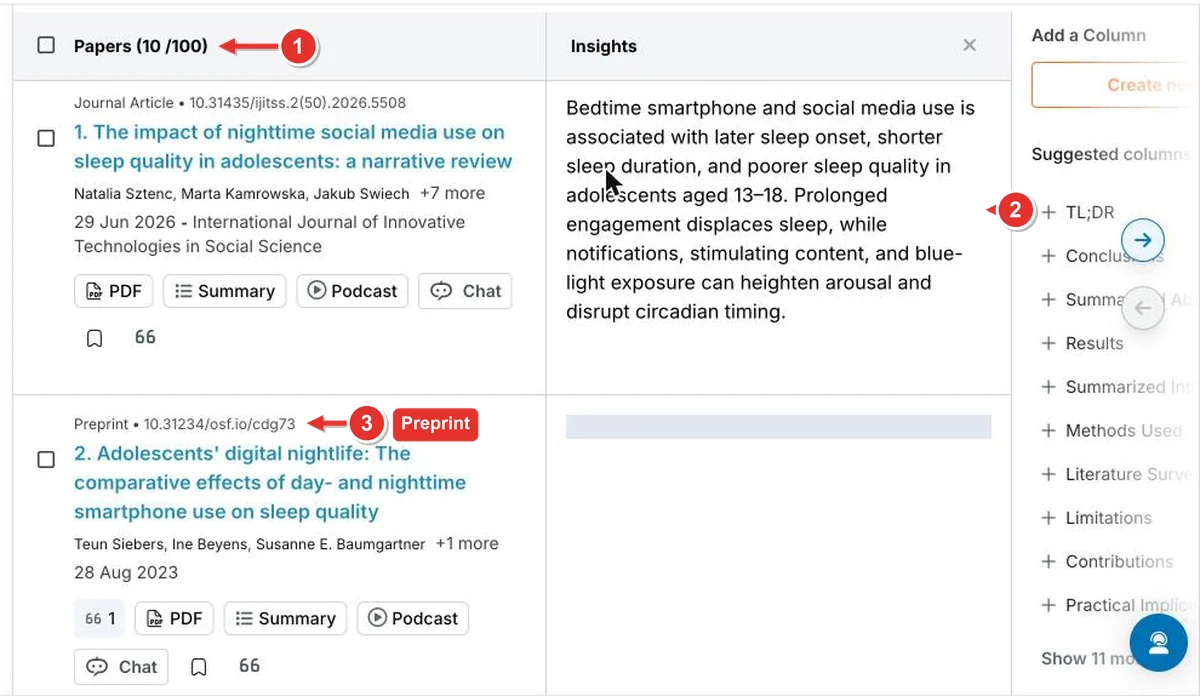
Below the answer is a table of papers with an Insights column. You can add columns such as Results, Methods or Limitations.
- Pros: fastest; the paper table is great for planning your reading.
- Cons: only 335 words from 5 papers; one cited source was a preprint; free plan uses the Lite model and 100 credits a month.
Which one should you use?
- You need a literature review draft to edit and submit: Jenni AI.
- You need to know what the evidence really shows: Elicit.
- You need a quick overview for a class discussion: Consensus.
- You need a reading list: SciSpace.
- Best combo: find and check papers with Elicit or SciSpace, then draft in Jenni with those PDFs in your Library.
How to use any AI literature review tool safely
- Open every source and confirm it says what the sentence claims.
- Check for preprints and retracted papers (Jenni’s Source Quality review does this).
- Rewrite in your own words; synthesis is your job, not the tool’s.
- Follow your university’s AI policy and disclose AI help when required.
Download our free literature review template (.docx) to structure your review.
What we found when we tested it
- 10 of 10 citations pointed to real papers (8 fully correct)
- A 2,592-word literature review with 49 sources in 1 min 50 s
- In our essay test, Jenni wrote 76% of the words while we steered
Honest limit: 2 of 5 essay citations were loose matches for their sentence. Always open the source before you keep it.
Start Jenni free in 3 steps
- Sign up with Google or email.
- Describe your paper in the prompt box: topic, length and citation style.
- Press → to accept a suggestion, or keep typing to skip it.
No card needed. Upgrade only if you hit the free limits.
FAQ
What is the best free AI literature review generator?
For a full, editable draft, Jenni AI. For the most careful evidence summary, Elicit. Both have free tiers.
Is Jenni AI’s literature review generator free?
Yes. The free plan includes 3 workflow runs, so you can generate up to 3 literature reviews. The reference list needs a paid plan.
Is Elicit free?
Elicit has a free Basic plan with unlimited paper search and summaries, and limited use of its Research Agent and reports.
Is Consensus free?
Yes. The free plan includes 10 Pro messages and up to 3 Deep reviews a month.
Is SciSpace free?
Yes, with 100 credits a month and the Lite model. Literature reviews are limited on the free plan.
Can AI write my whole literature review?
It can write a strong first draft, but you must check the sources, add your own synthesis and follow your school’s AI rules.
Which AI tool gives the most accurate citations?
In our tests every tool cited real papers. Elicit checks citation support automatically; in Jenni, open each source card and use Source Quality.
Leave a Reply