Quick answer: where is the Jenni AI login?
The official Jenni AI login is at app.jenni.ai/login. Sign in with Continue with Google or with your email and password. New users sign up free at app.jenni.ai/register, and you can reset a forgotten password from the Forgot Password? link.
Don’t have an account yet? Jenni AI’s Free plan needs no credit card.
This is an independent guide, not Jenni’s own site. It shows the real login, sign-up and password reset screens (checked November 20, 2026) and fixes the most common sign-in problems.
In this guide
- How to log in to Jenni AI
- How to sign up
- Google or email: which one did you use?
- Reset a forgotten password
- Can’t log in? Fixes that work
- Change your email
- Delete your Jenni account
- FAQ
How to log in to Jenni AI
Go to app.jenni.ai/login. You’ll see the Sign in to Jenni page.
- Signed up with Google? Click Continue with Google and pick your account.
- Signed up with email? Type your email and password, then click Sign In.
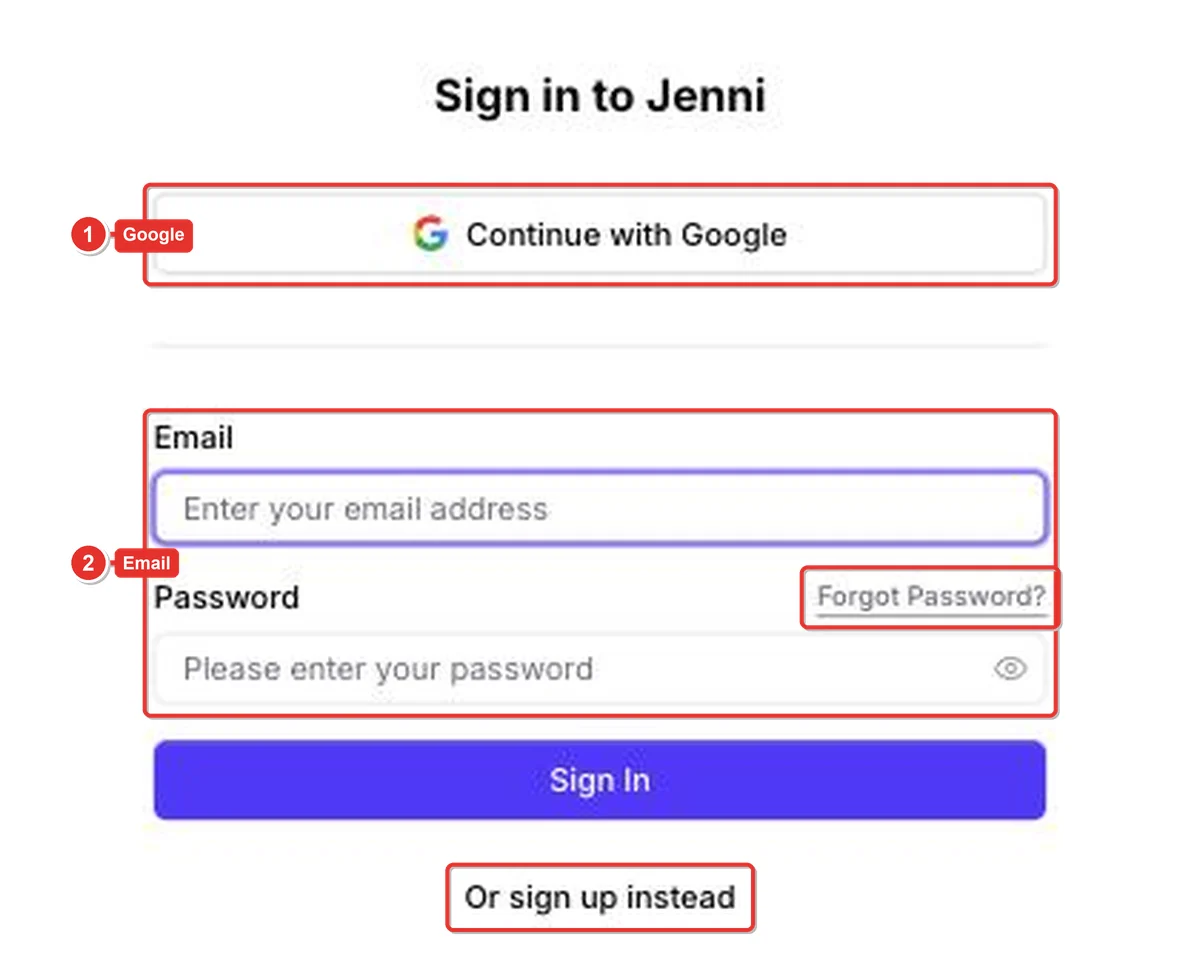
Once signed in, Jenni opens your last document or the editor. You stay signed in on that browser until you log out.
How to sign up for Jenni AI
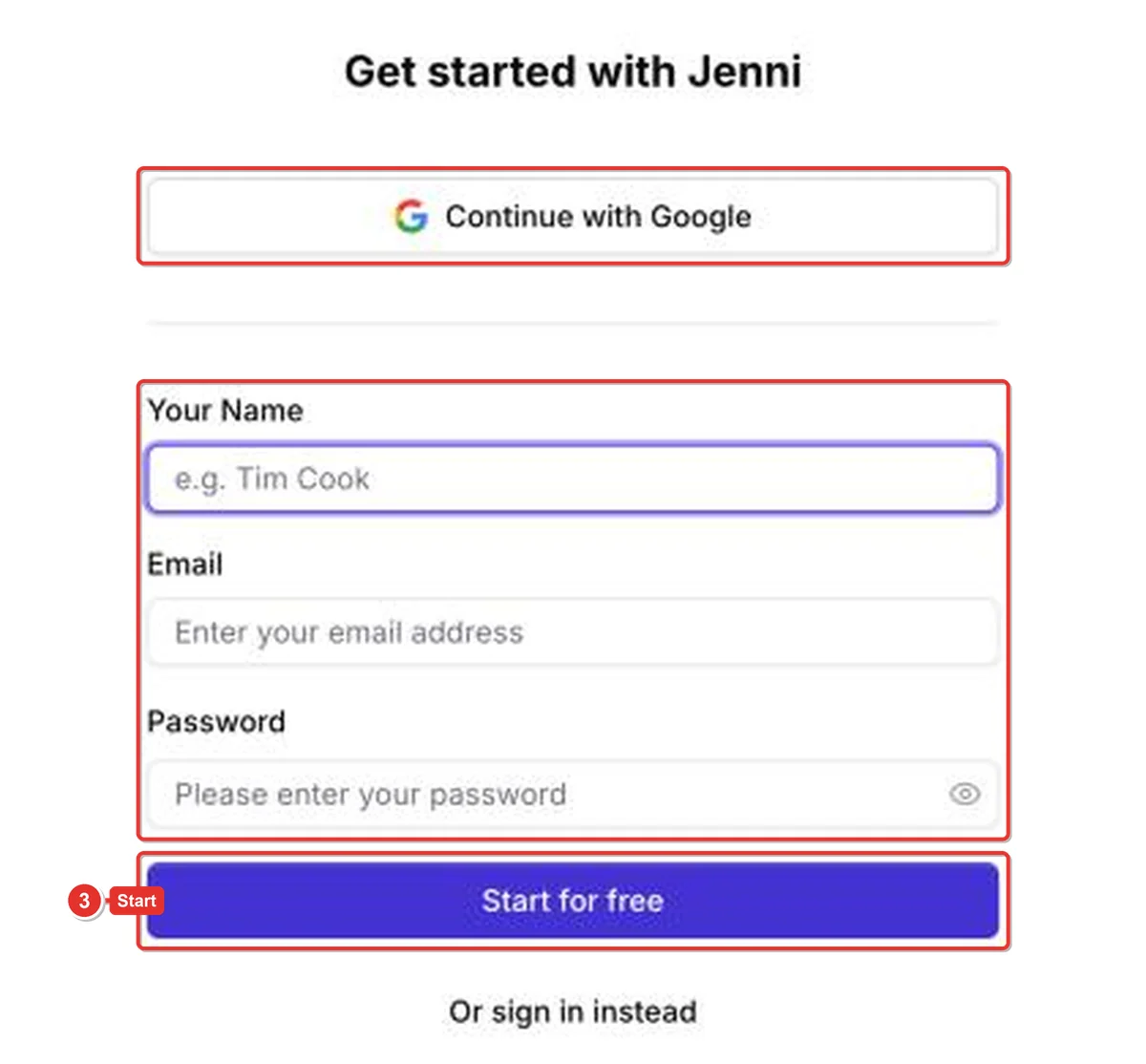
Go to app.jenni.ai/register, or click Or sign up instead on the login page. The page is called Get started with Jenni.
Click Continue with Google, or enter your name, email and a password and click Start for free. Every new account starts on the Free plan.
Want to know what you get for free? Read Is Jenni AI free?
Google or email: which one did you use?
Most login problems come from using the wrong method. If you signed up with Google, you never set a Jenni password, so the email form won’t work.
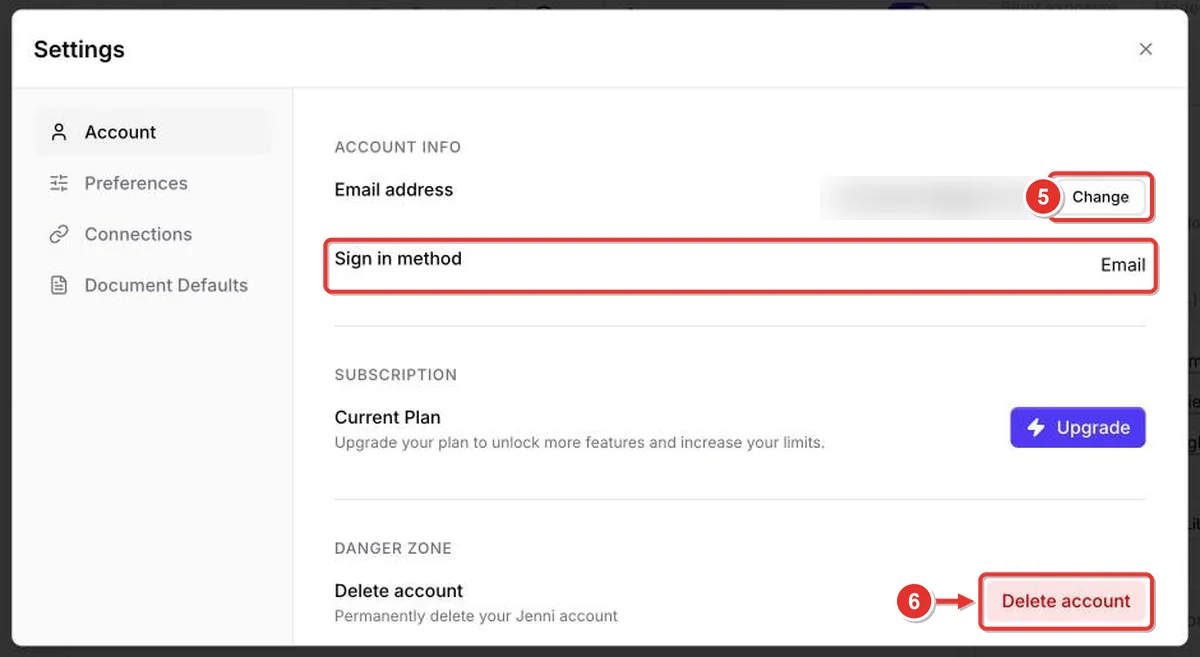
Already signed in on another device? Click your name, then Settings.
The Account tab shows your Sign in method (Google or Email).
Reset a forgotten Jenni AI password
On the login page, click Forgot Password? The Reset your password page asks for the email you used to create your account.
Enter it and click Reset Password, then follow the link in the email Jenni sends you.
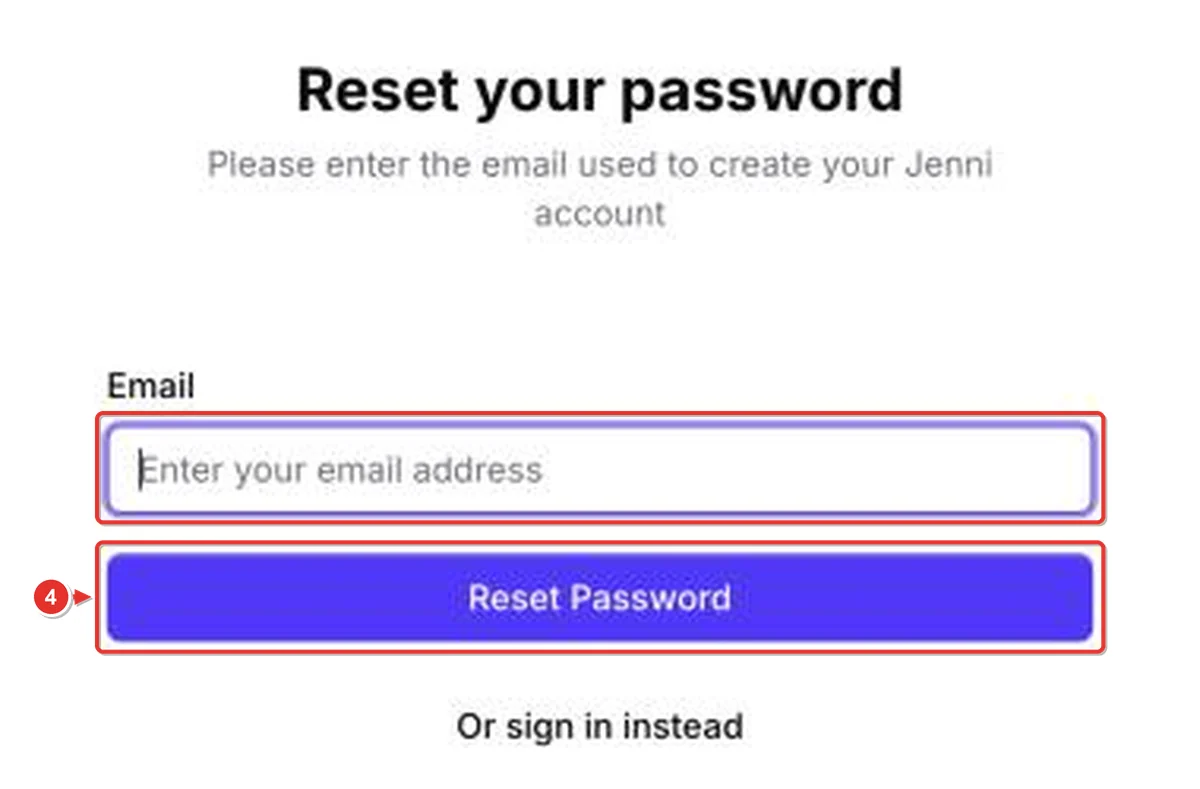
No email after a few minutes? Check spam and promotions folders, and make sure you typed the email you signed up with.
Can’t log in? Fixes that work
- Try the other method. If email and password fail, try Continue with Google (or the other way round).
- Check the address. Use app.jenni.ai/login. Lookalike apps called “Jen AI” or “Jenn AI” are different products.
- Reset your password using the steps above.
- Clear cookies or try another browser. A private window is a quick test.
- School or work network? Some networks block sign-in pages. Try another connection.
- Still stuck? Email Jenni support at support@jenni.ai from the address on your account.
Change your email address
Click your name at the top of the sidebar, then Settings. On the Account tab, click Change next to Email address.
Delete your Jenni account
In the same Settings page, scroll to Danger zone and click Delete account. This permanently removes your account and documents.
Before you delete: export any documents you need, and cancel any paid plan first. See how to cancel Jenni AI.
New to Jenni? Create a free account in under a minute.
FAQ
What is the Jenni AI login URL?
app.jenni.ai/login. The sign-up page is app.jenni.ai/register.
Is Jenni AI login free?
Yes. Signing up and logging in are free, and every account starts on the Free plan with no credit card.
Can I log in to Jenni AI with Google?
Yes. Click Continue with Google on the login page. Use the same Google account you signed up with.
I forgot my Jenni AI password. What do I do?
Click Forgot Password? on the login page, enter your account email and click Reset Password.
Why can’t I log in to Jenni AI?
Usually it’s the wrong sign-in method (Google vs email). Try the other one, reset your password, or clear cookies. If nothing works, email support@jenni.ai.
Is there a Jenni AI app?
We couldn’t find an official Jenni AI app on the App Store or Google Play (checked November 20, 2026). Use app.jenni.ai in your browser.
How do I delete my Jenni AI account?
Settings → Account → Danger zone → Delete account. Cancel any paid plan first.
Is this the official Jenni AI site?
No. jenniaiblog.com is an independent guide site. The official login is on app.jenni.ai.
Leave a Reply